Google Cloud Design AI solution discovery experience for SMBs

CGC is Google Cloud's marketing website. In this project, our goal is to use AI personalization to enhance the self-serve discovery journey for SMB business decision makers, making them supported when exploring cloud solutions and keep interests of converting to paid users of Google Cloud.

Timeline

Sep 2024 - Dec 2024 (11 weeks)

Timeline

Sep 2024 - Dec 2024 (11 weeks)

Timeline

Sep 2024 - Dec 2024 (11 weeks)

Contributions

User Research, Stakeholder Interviews, Design Iteration & Prototyping

Contributions

User Research, Stakeholder Interviews, Design Iteration & Prototyping

Contributions

User Research, Stakeholder Interviews, Design Iteration & Prototyping

Project Type

Capstone project supervised by Google Cloud

Project Type

Capstone project supervised by Google Cloud

Project Type

Capstone project supervised by Google Cloud

Solution Highlights

Solution generator providing tailored solutions for users' use case

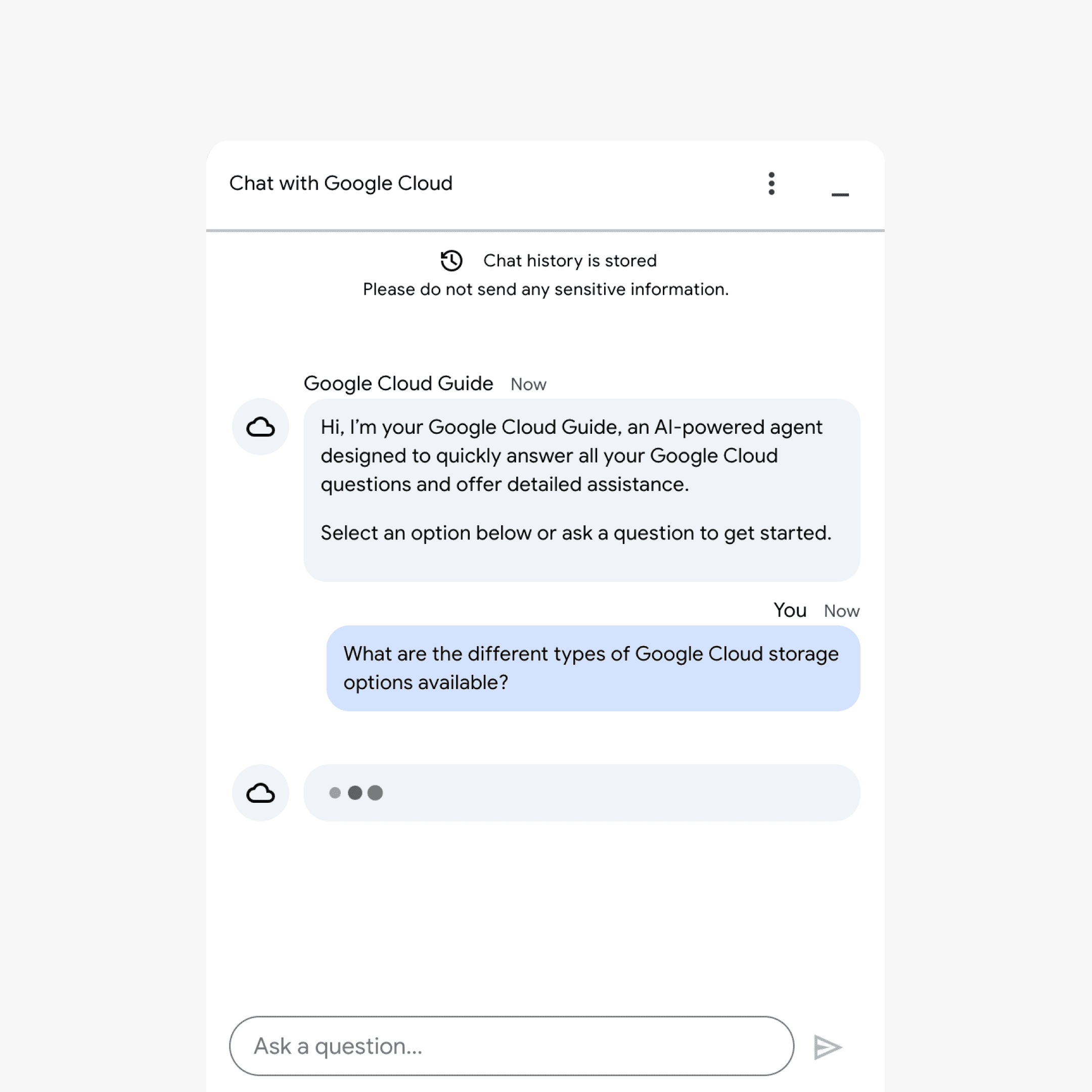
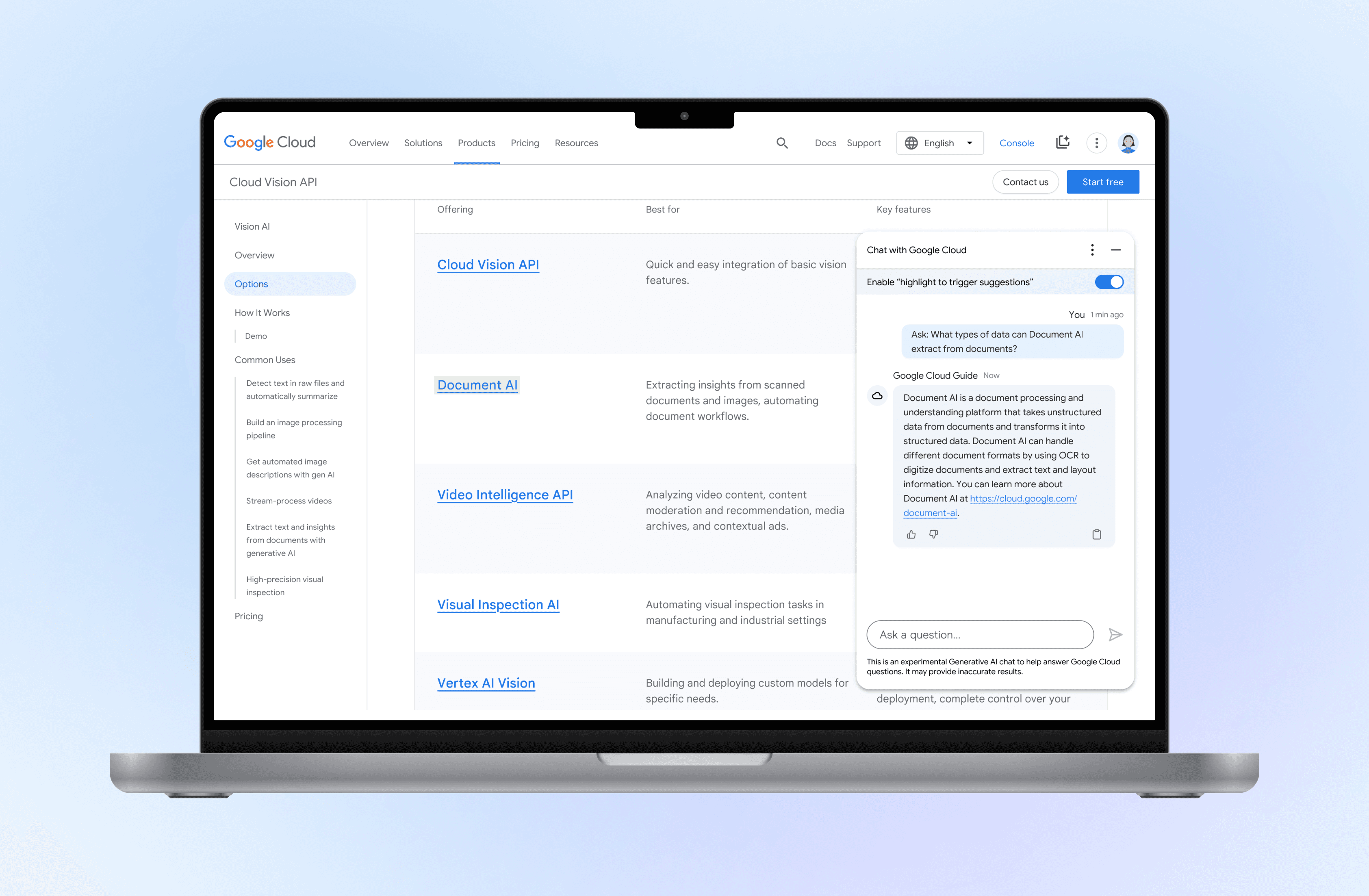
Context-aware assistant providing AI-powered support for on-page content

The Problem

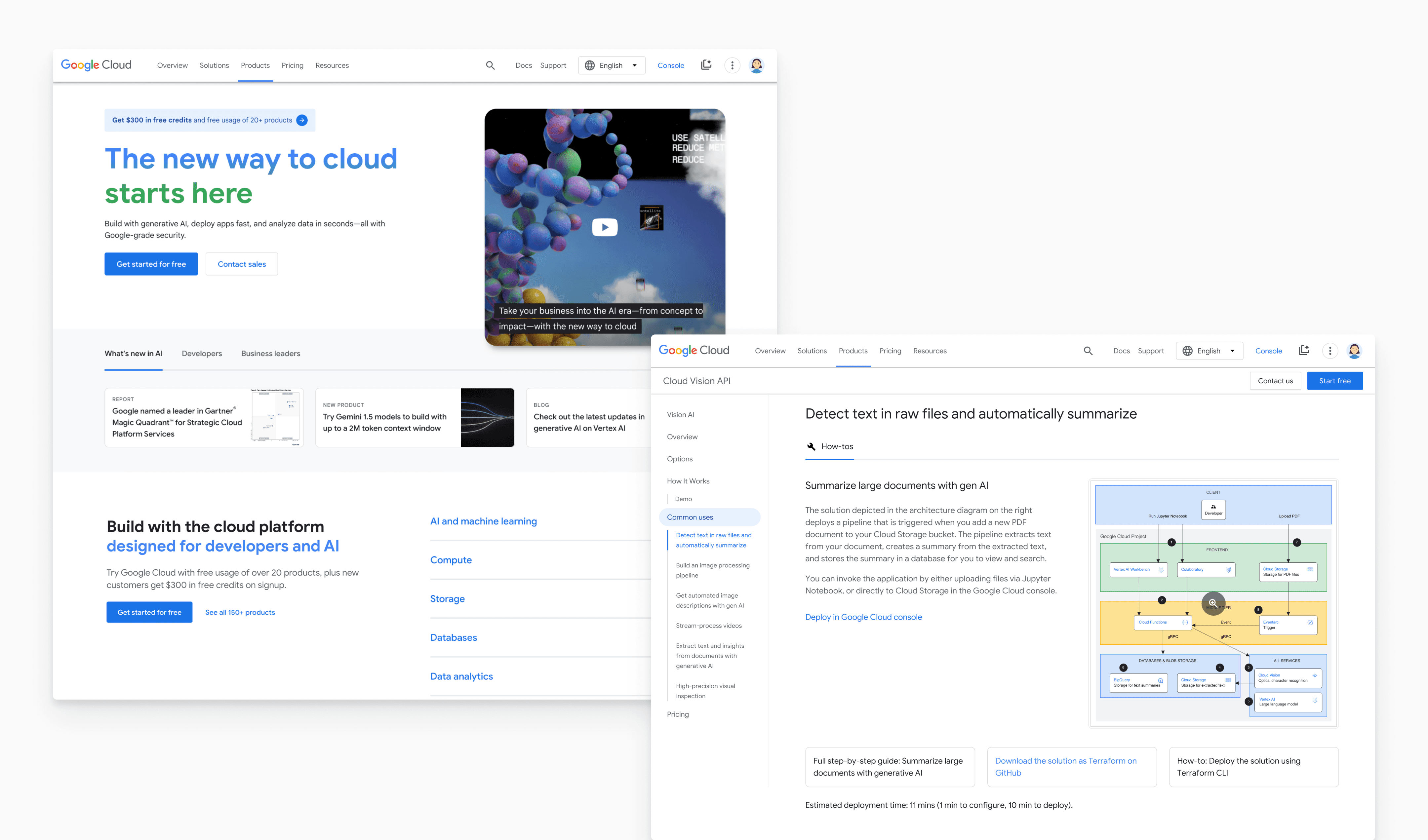
Google Cloud's marketing website, which hosts various products, solutions, and documentation, attracts over 1 million daily visitors, yet users have trouble finding solutions for their use case
Target Users

Small to medium business (SMB) decision-makers seeking relevant cloud solutions that fits their use case

Google Cloud offers two sales models: sales-serve and self-serve. Unlike large enterprises that benefit from 1-to-1 sales interactions, SMBs rely heavily on personalized self-serve discovery due to the limitations of sales scalability.
Business Goal

Enhance the self-serve discovery experience and increase users' interests in converting to paid

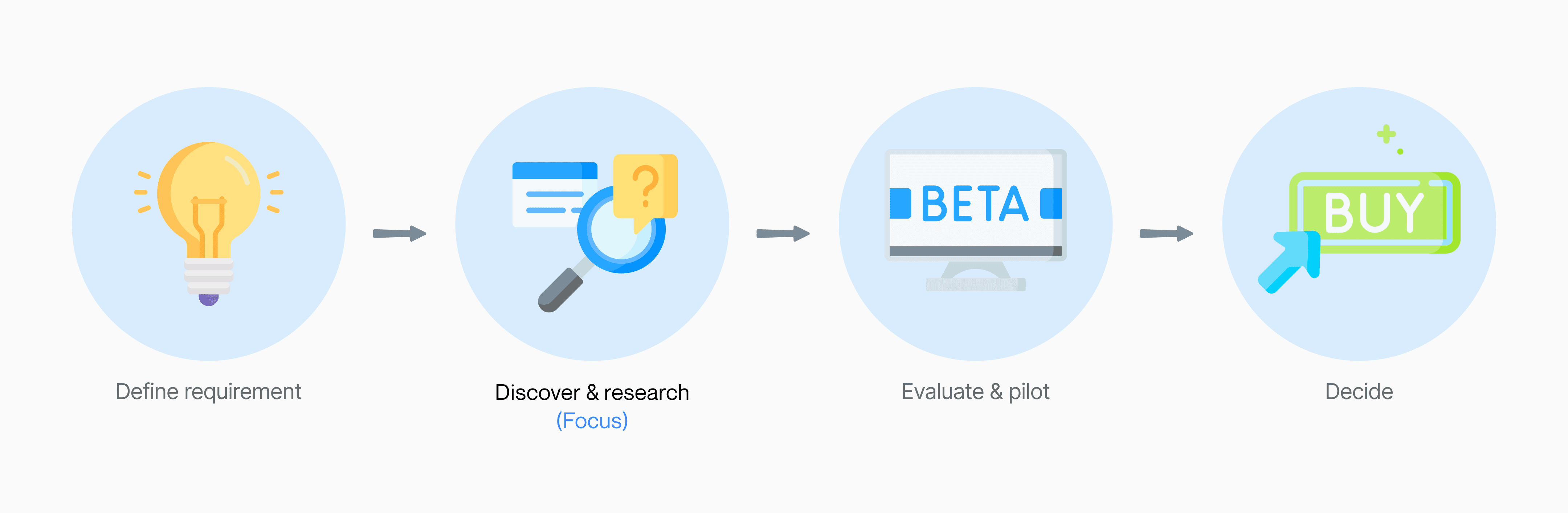
Our goal is to encourage users to engage with AI personalization features to discover cloud solutions that are more efficient and tailored to their needs. This approach can increase their interest in advancing to the next stage of the funnel—evaluation and pilot—and ultimately converting to paid.

How Might We

How might we personalize the self-serve discovery journey for SMB decision-makers?

User Research

Due to limited interview resources, I identified startups as a key SMB group and used our university network to recruit startup founders

With limited time and resources, our client could not support user interviews. However, I identified startups as a key SMB group and believed additional research was crucial. After a quick search, I discovered we could leverage our university networks, such as Cornell Startups and Cornell eLab, to recruit interviewees.

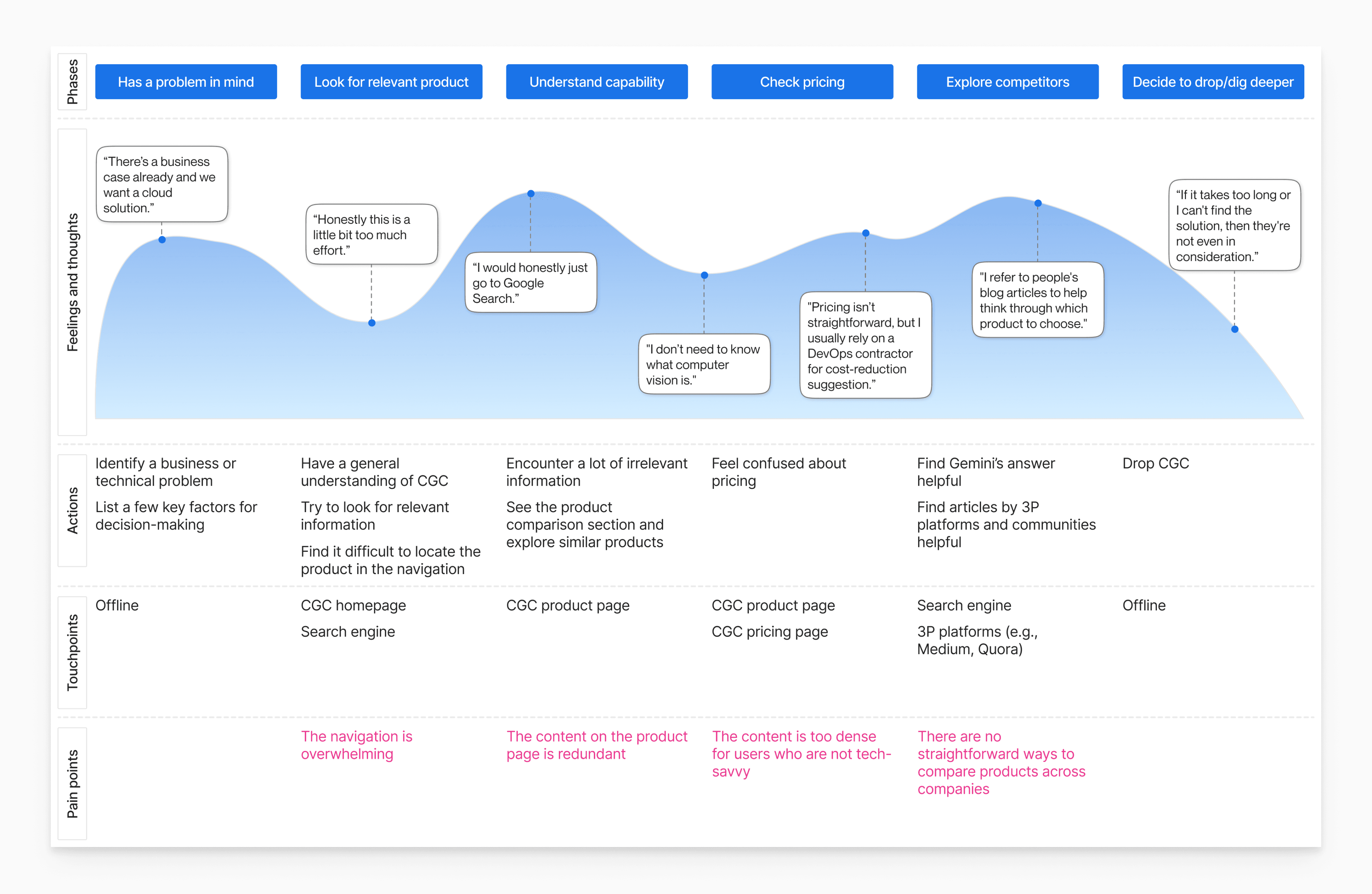
5 interviews informed the user profile Vince

Vince leads an AI healthcare startup of 20 employees, bringing his tech and business background to the healthcare space. Between managing his team and driving growth, time is his scarcest resource.

He's currently searching for an OCR solution that can extract text from medical materials.

Vince is trying to find the cloud solution relevant to his user case, but he feels confused:

Restrictions for the Project

Some caveats from stakeholders for personalization

⌨️

Privacy First

Due to compliance restrictions, we need to rely more on explicit user input

💡

Solutions over Products

Cloud products rarely work in isolation. We should recommend solutions, not just products

Design Goals

🔍

Effortless Discovery

Help users find what they need without navigating redundant information

⌨️

Explicit Input

Allow users to provide data about their use case to receive recommendations

🛠️

Solution Clarity

Show how individual products combine to form a solution

Diverge

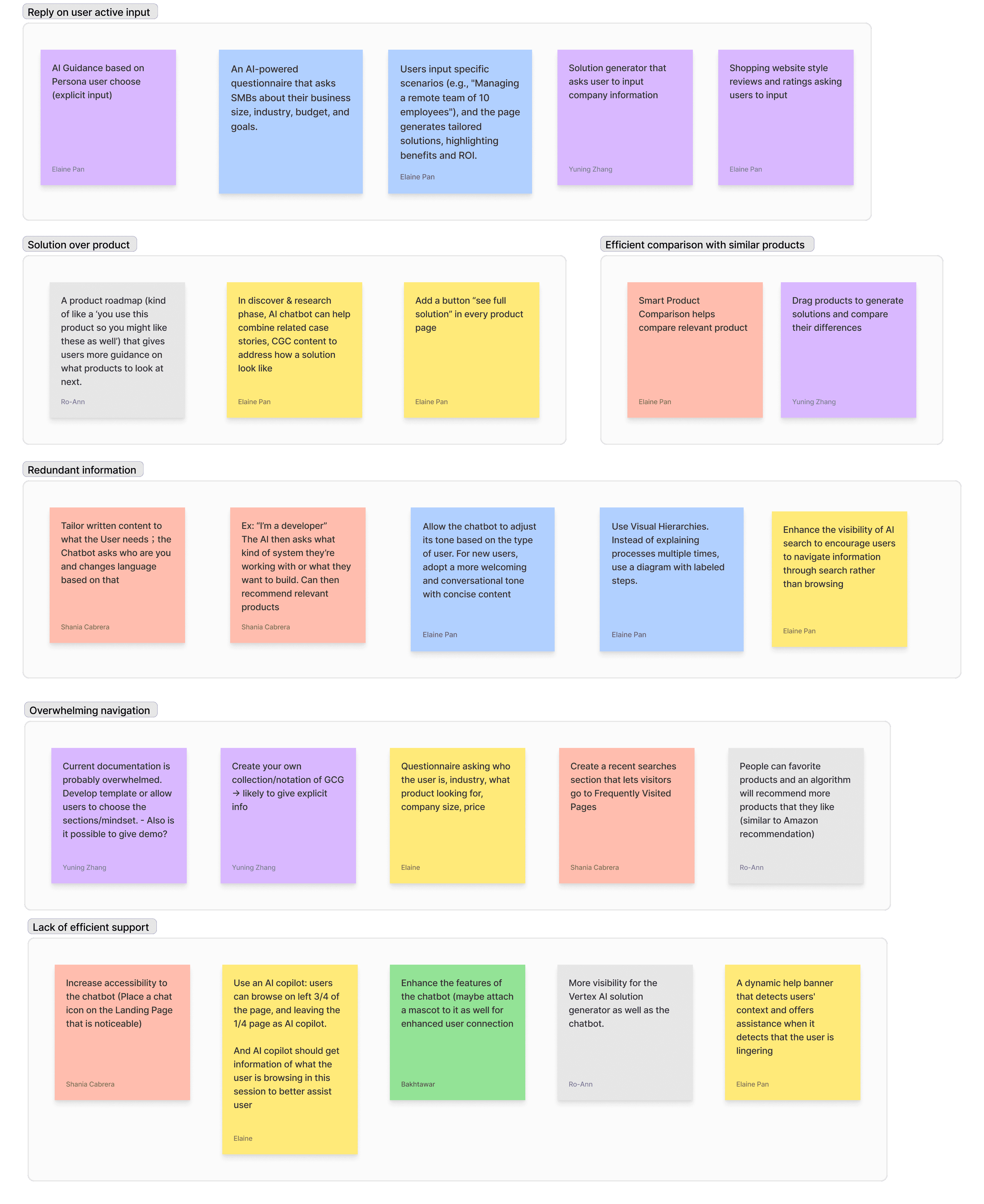
I led a co-design workshop with target user to identify the essential problems

Ideation based on research

Organize by affinity diagram

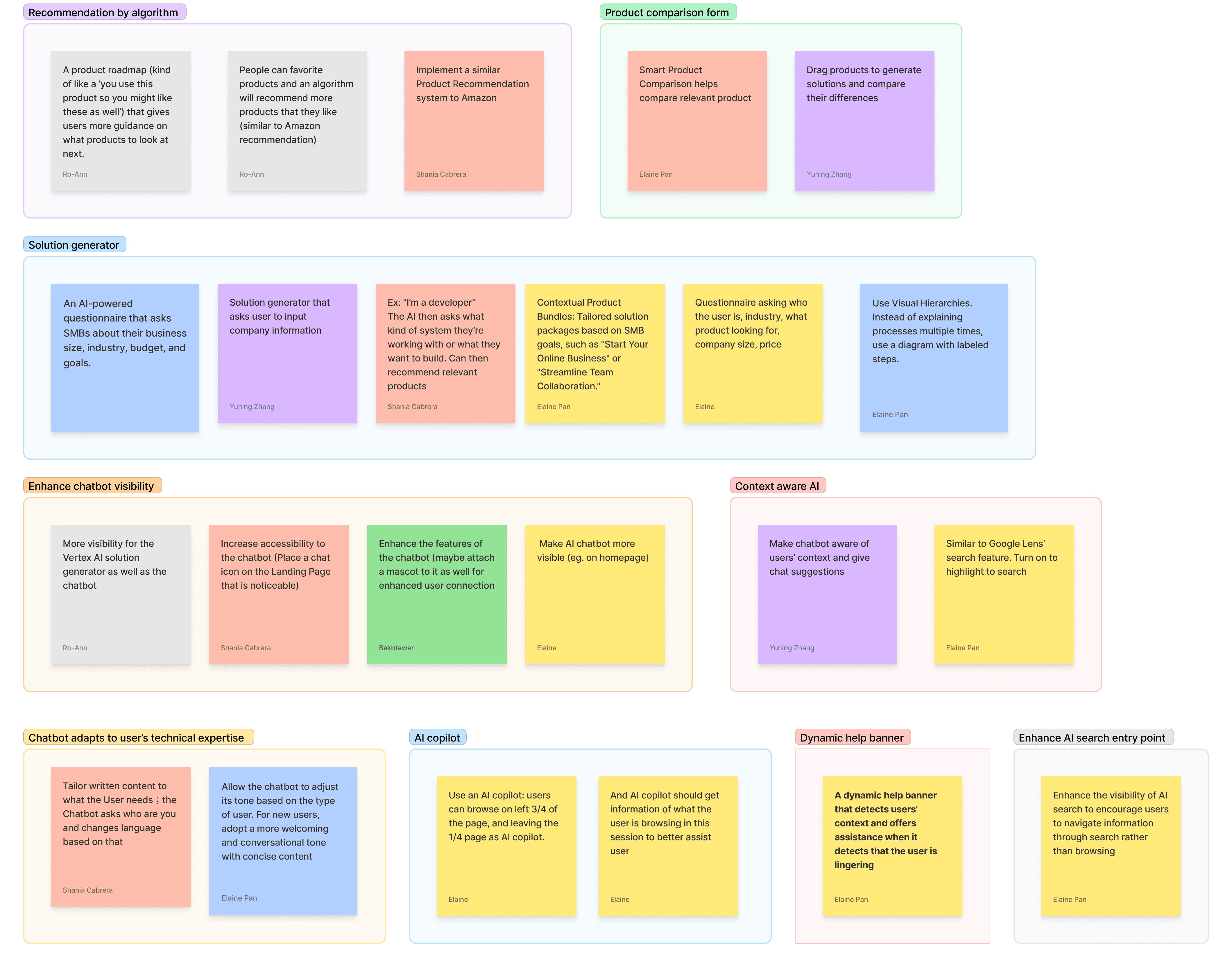
Converge

Finally decided to focus on redesigning 2 existing features

Solution generator

Chatbot

Design Process 1

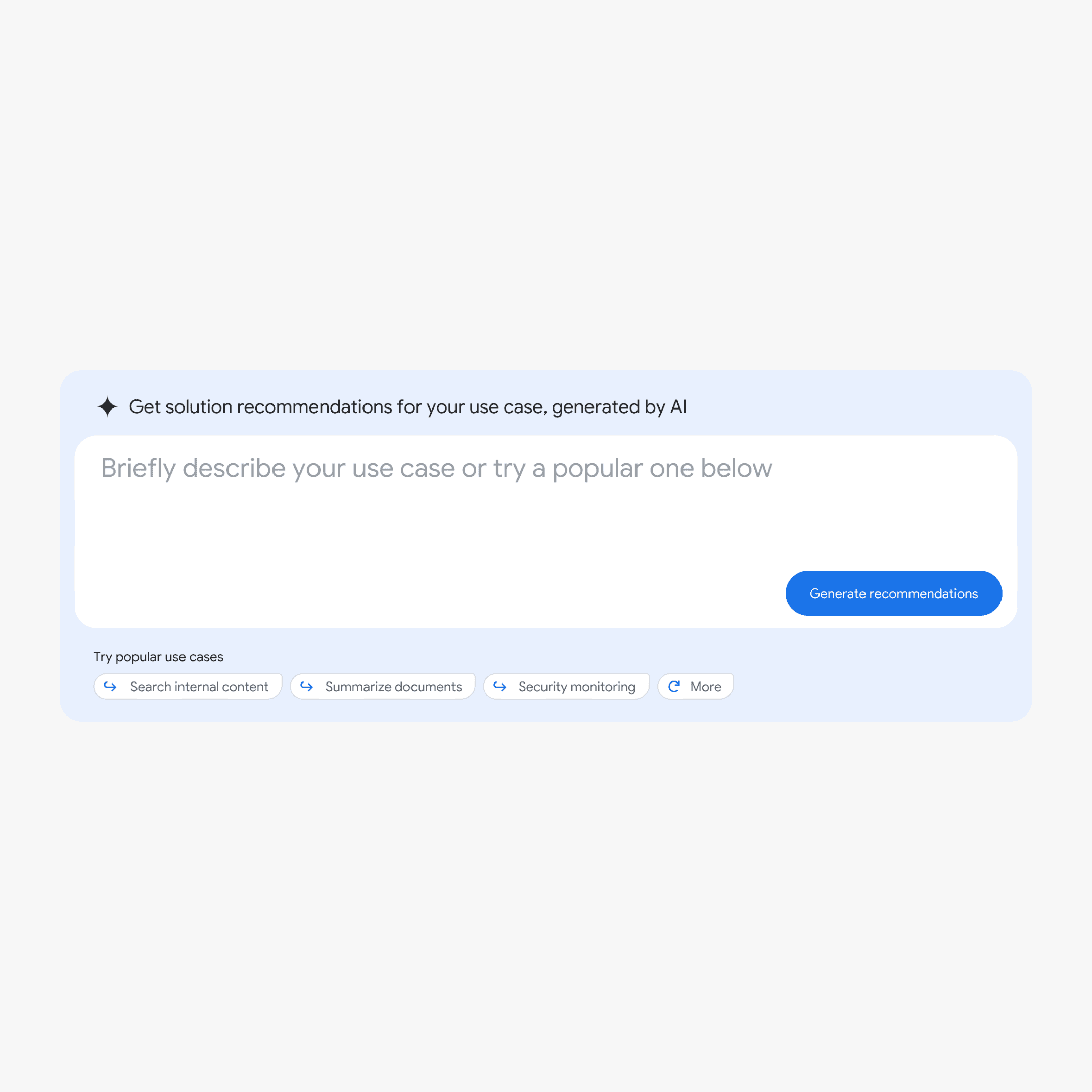
Solution generator that generates personalized cloud solutions based on user input

Problem

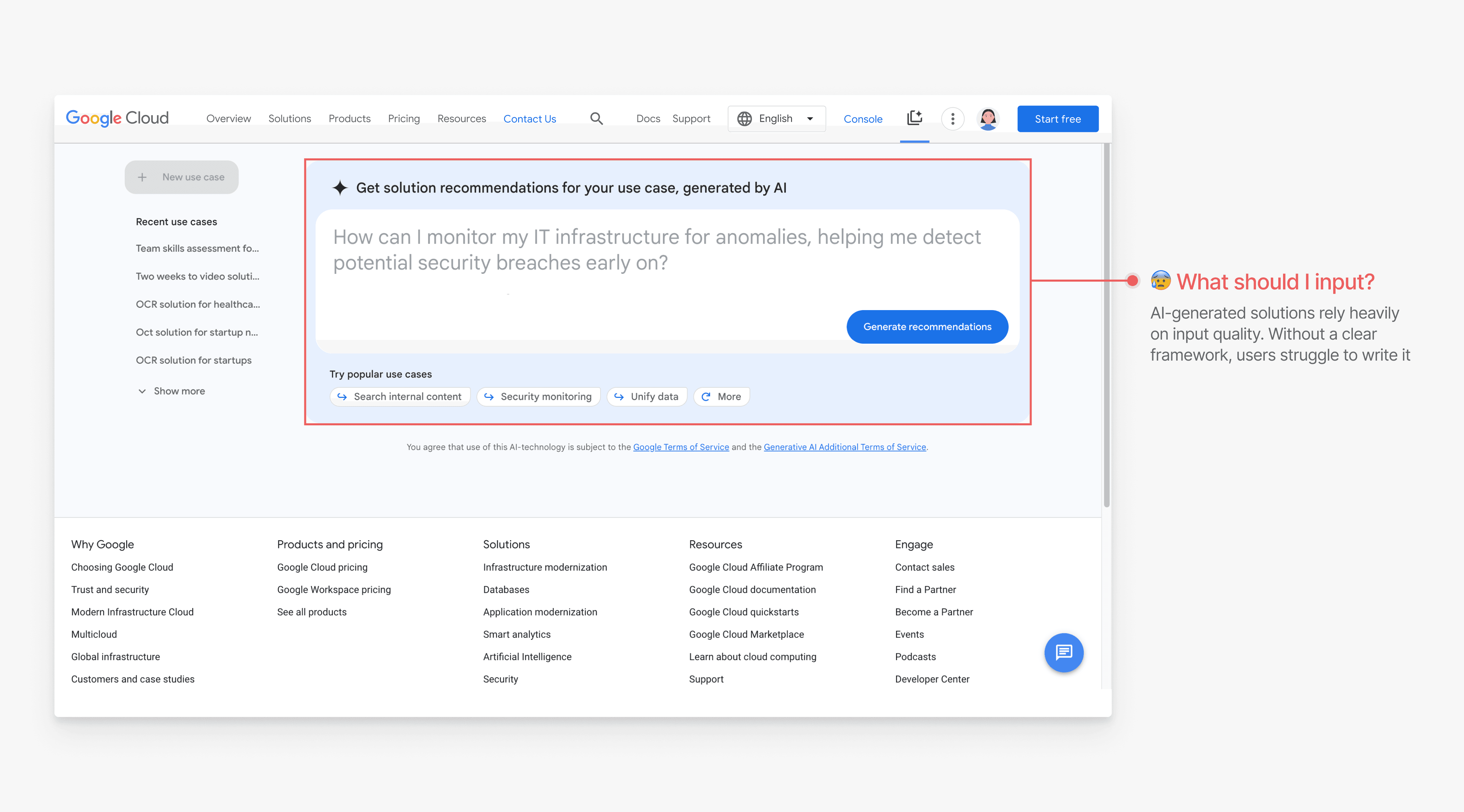
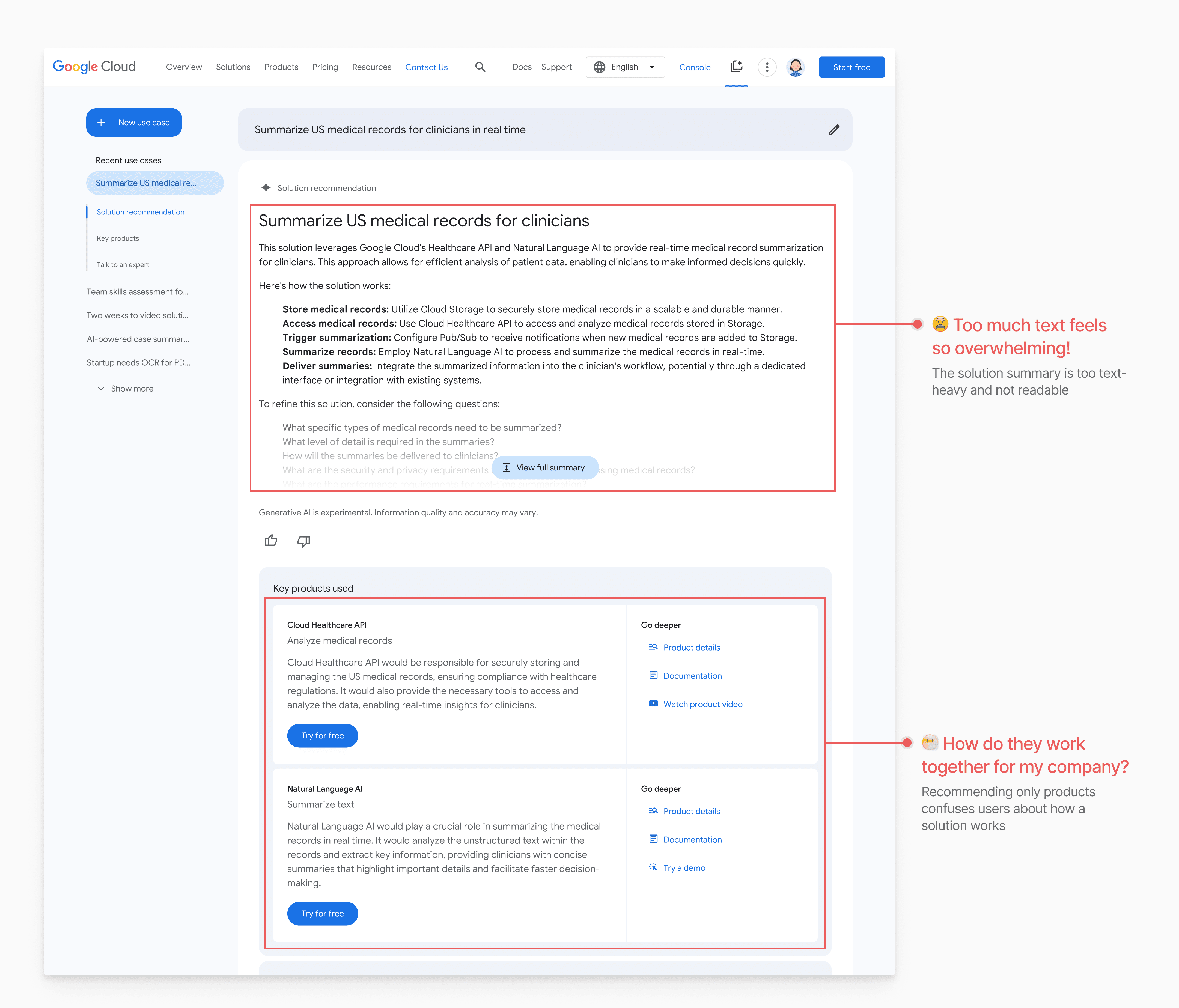
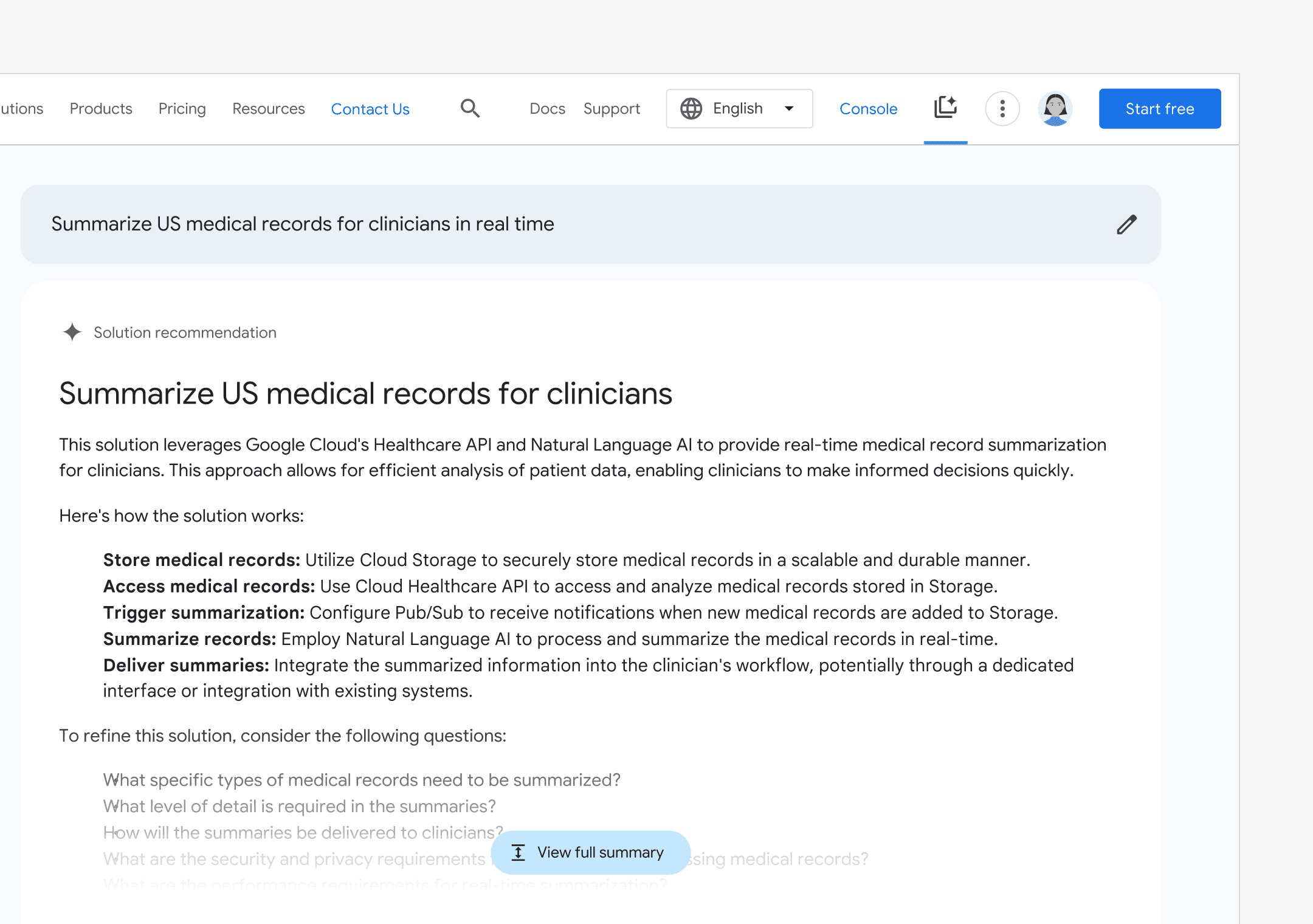
With the current design, Vince struggles to write input prompts and finds the generated solutions confusing

Input Design

Iterate towards a better framework to make input more intuitive and accurate

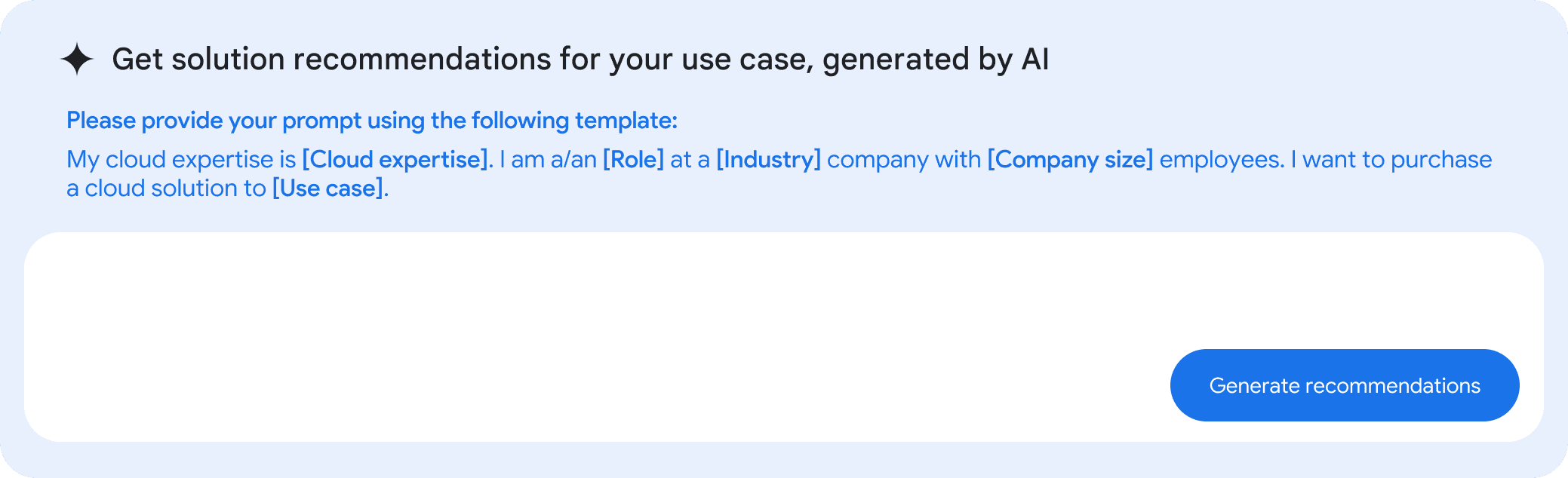
V1: Jumpstart template

V1: Jumpstart template

Provide more accurate template

Users may don't know how to describe their cloud expertise and industry (stakeholder feedback)

Doesn't place enough emphasis on the most important element — use case

V2: Interactive prompt template

V2: Interactive prompt template

Provide dropdown for users to choose from

Require multiple clicks

Doesn't place enough on the most important element — use case

V3(Final): A form that offers guidance while allowing flexibility

V3(Final): A form that offers guidance while allowing flexibility

Mad-lib pattern ensures all information is visible

Clearly distinguish required and optional inputs

Emphasize the required "use case" input

Recommended use cases change based on "industry" input

Output Design

Redesign to improve readability and foster a solution-oriented mindset

Output Summary

Before

Not easy to scan

Lack of solution mindset

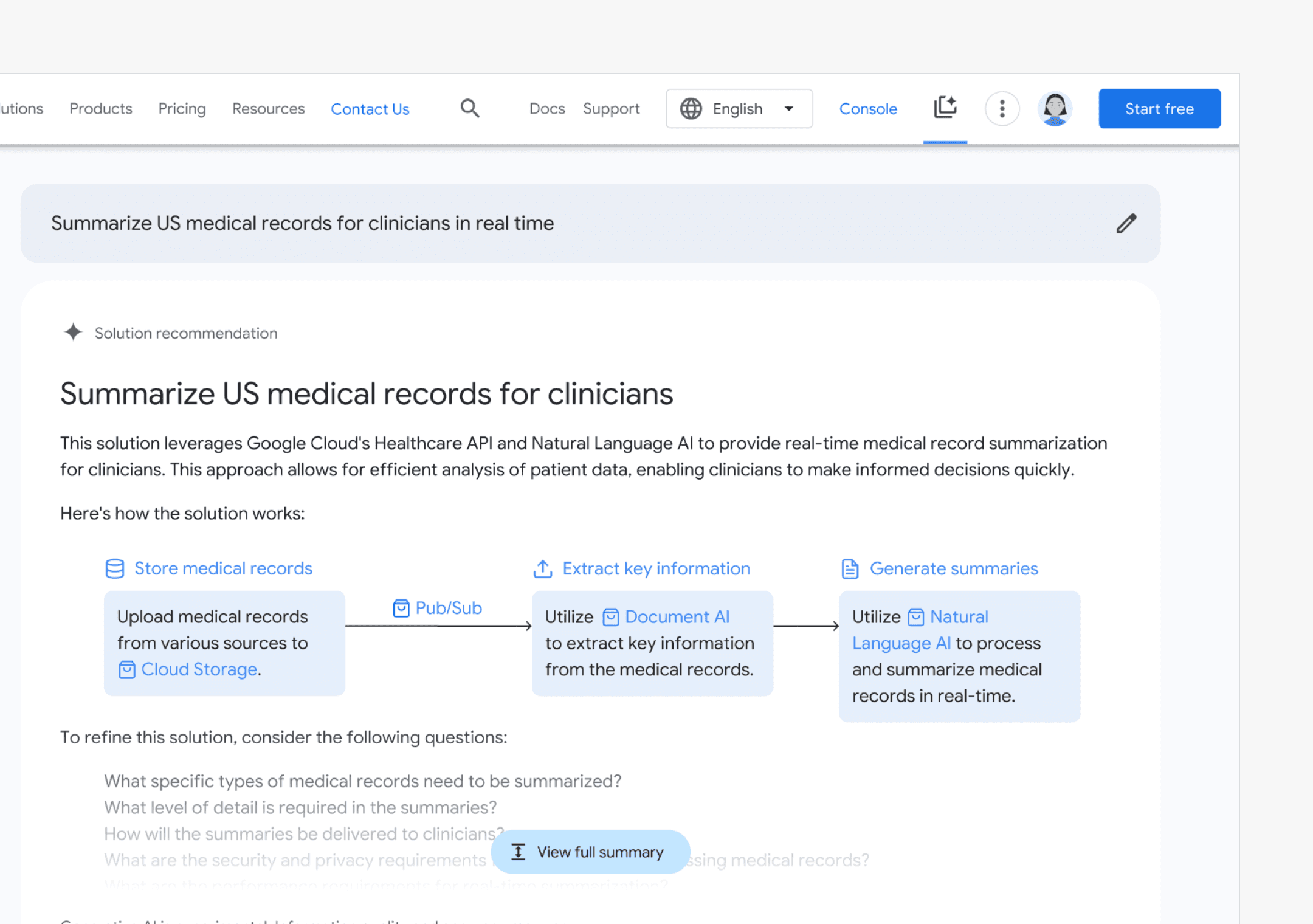
After

Process diagram shows solution components

Enhance readability through icons and color

Anchor links allow quick access to detailed product information at each step

Key Products

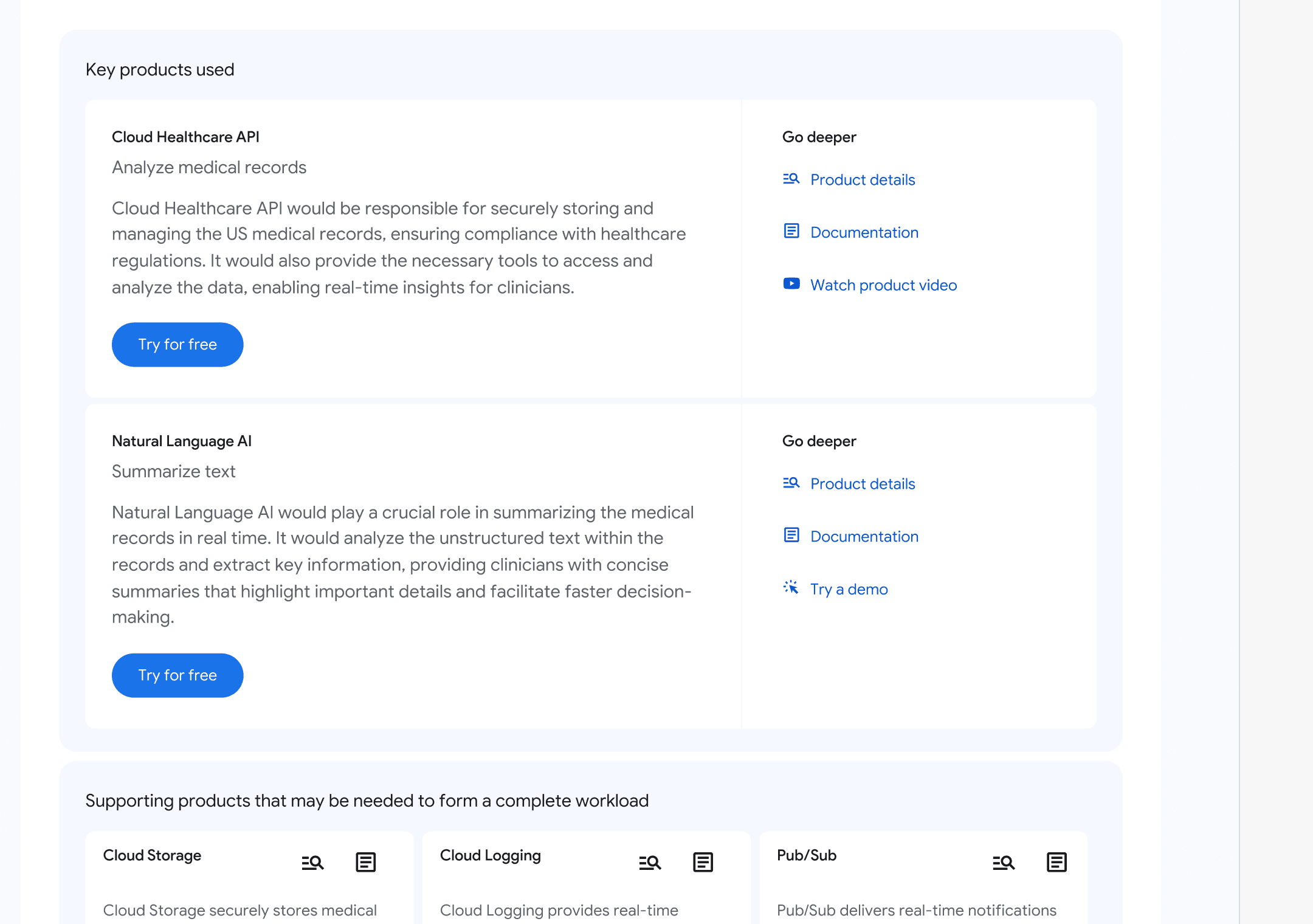
Before

Distinguish key products and supporting products

No alternative products are provided

It is not clear how workflow relates to products

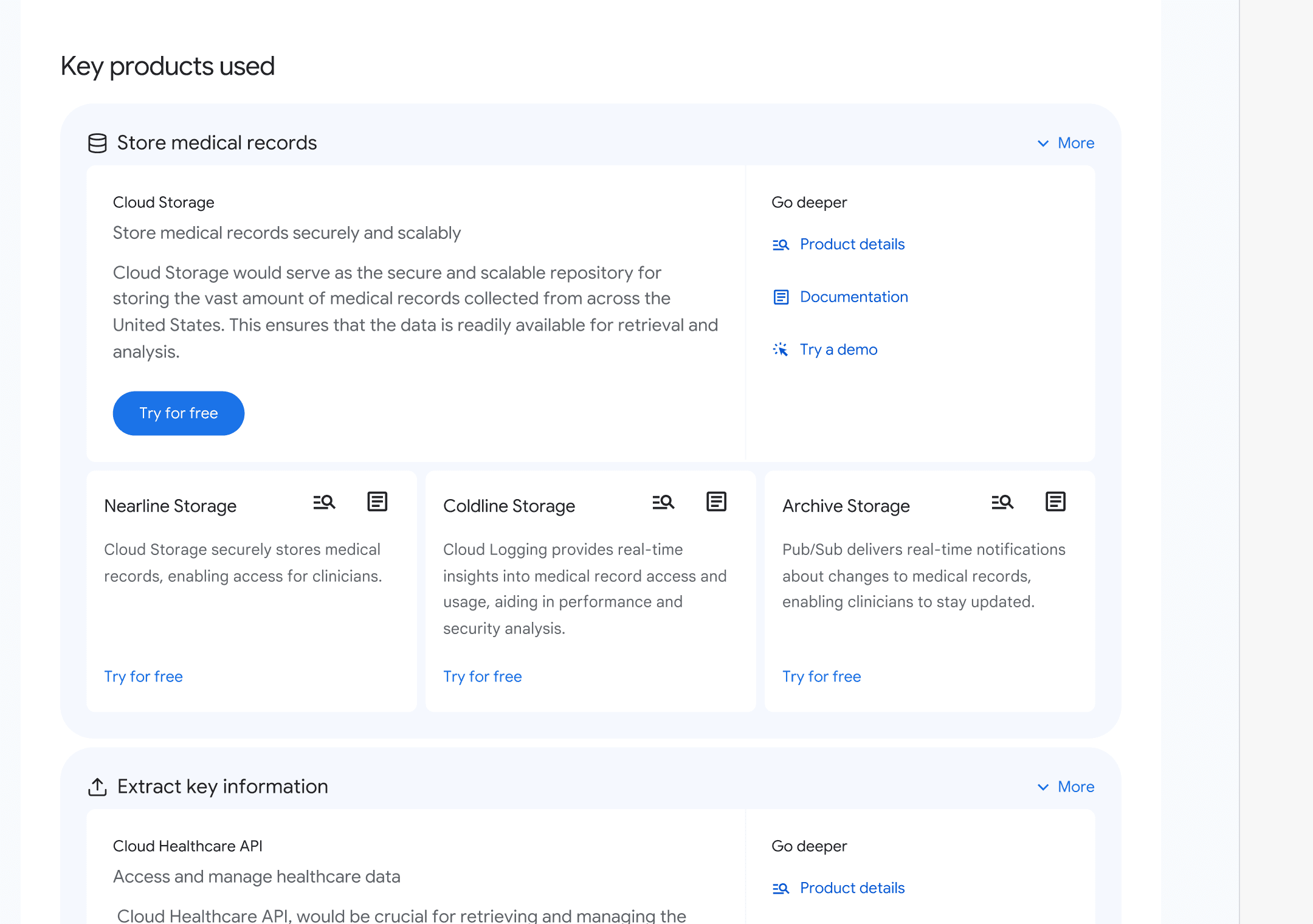
After

Connect products with each step of solution

Add "more" button to include more information

Final Design

With the new design, Vince can confidently input prompts and gain a better understanding of the solution

Design Process 2

Context-aware chatbot that provides intuitive and efficient assistance tailored to users' context

Current Design

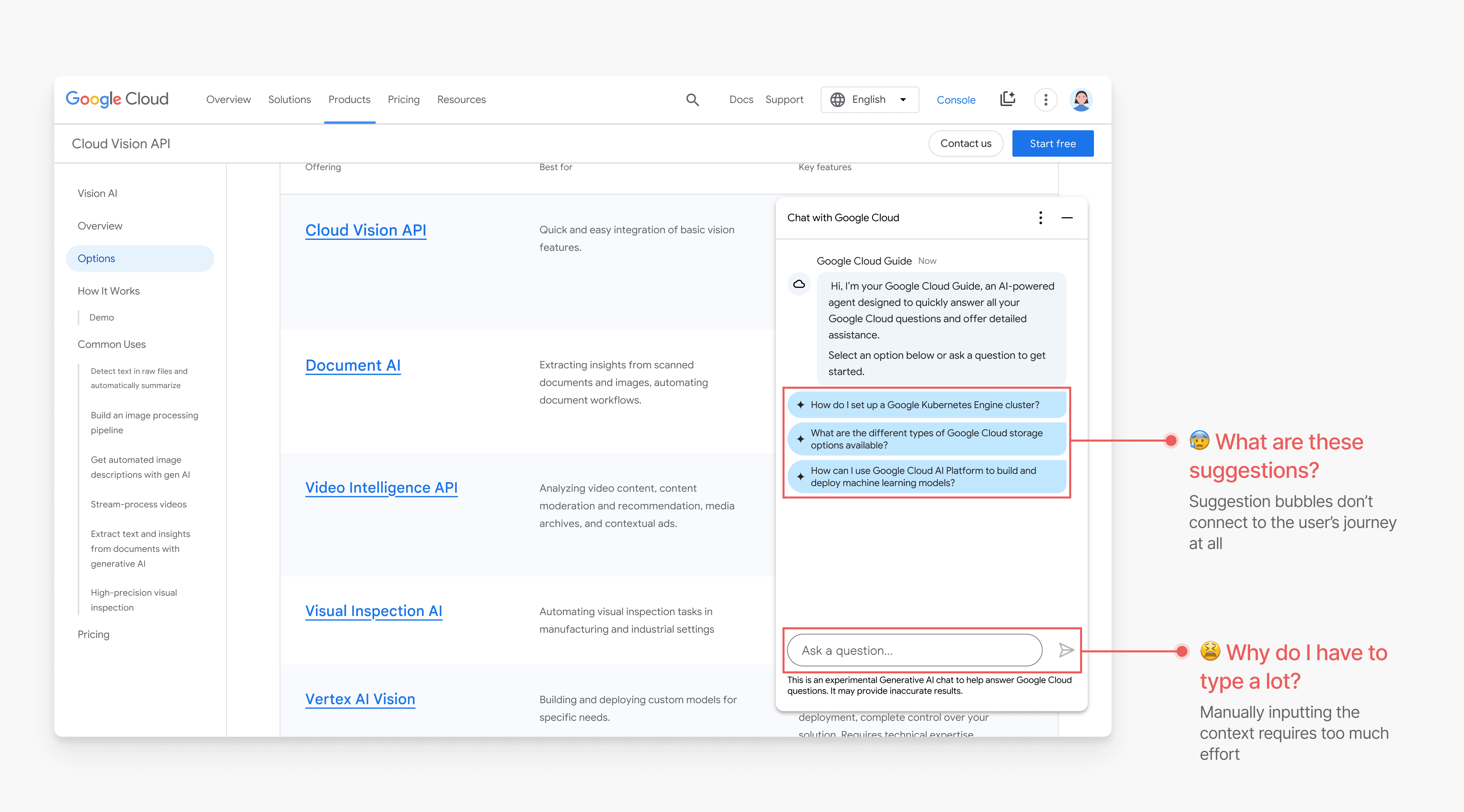
Vince finds the chatbot suggestions irrelevant to his browsing and typing questions manually cumbersome

Redesign Explorations

Our goal was to make the chatbot context-aware by allowing users to select on-page content as the basis for a query

Option 1: Highlight context + click chatbot

Too hidden and difficult to discover

Option 2: Highlight context → trigger “Ask Gemini” button

Users have no way to enable or disable the feature

Potentially disruptive for users who highlight text while reading

Option 3: Hover → trigger suggestions

Too easily triggered, which might lead to interruptions for users when browsing

Option 4: Turn on toggle + highlight context

Cumbersome to repeatedly enable and disable

Final Decision

Hybrid: Highlight to trigger context-based AI suggestions for improved efficiency

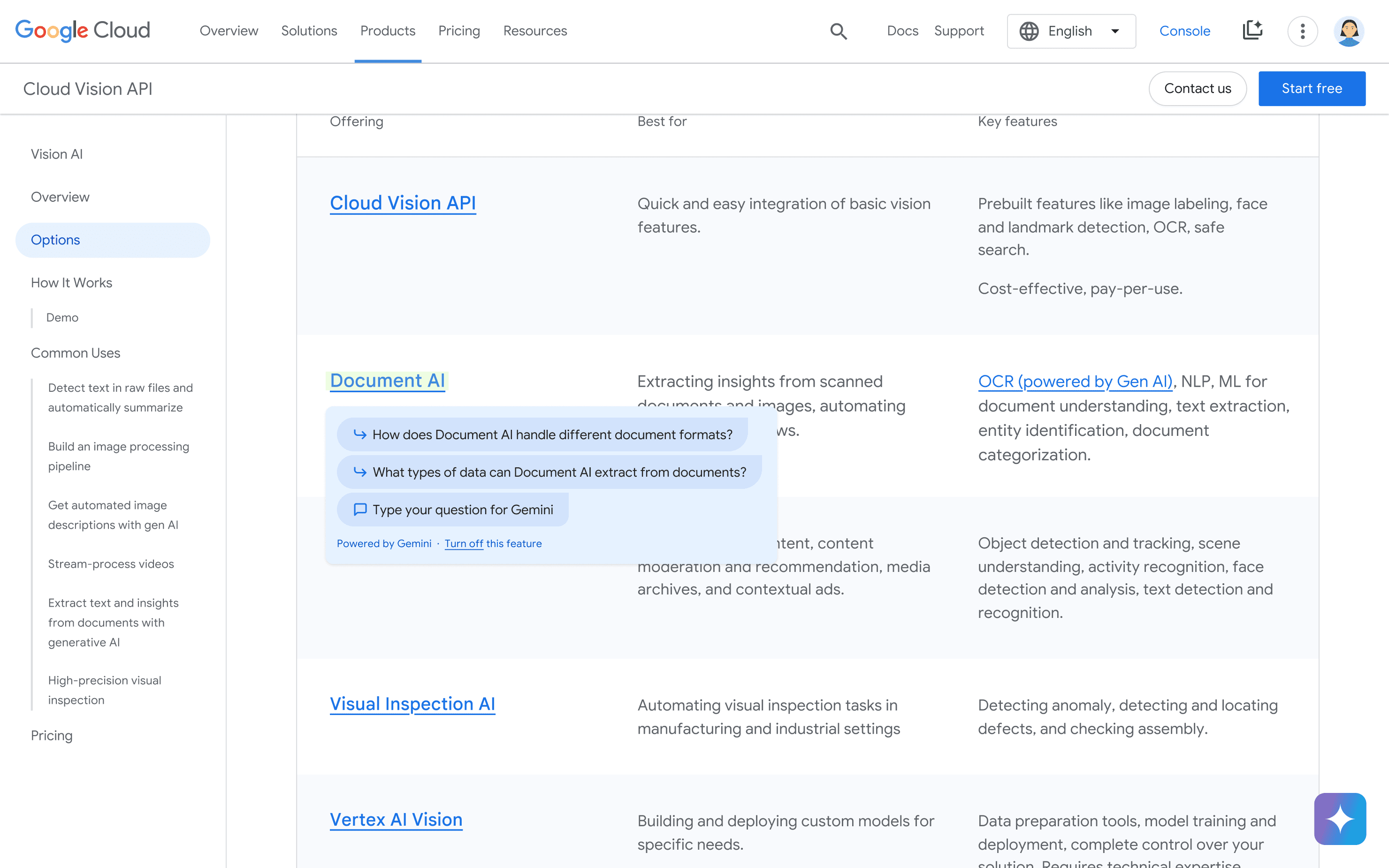
Highlighting text generates contextual AI suggestions

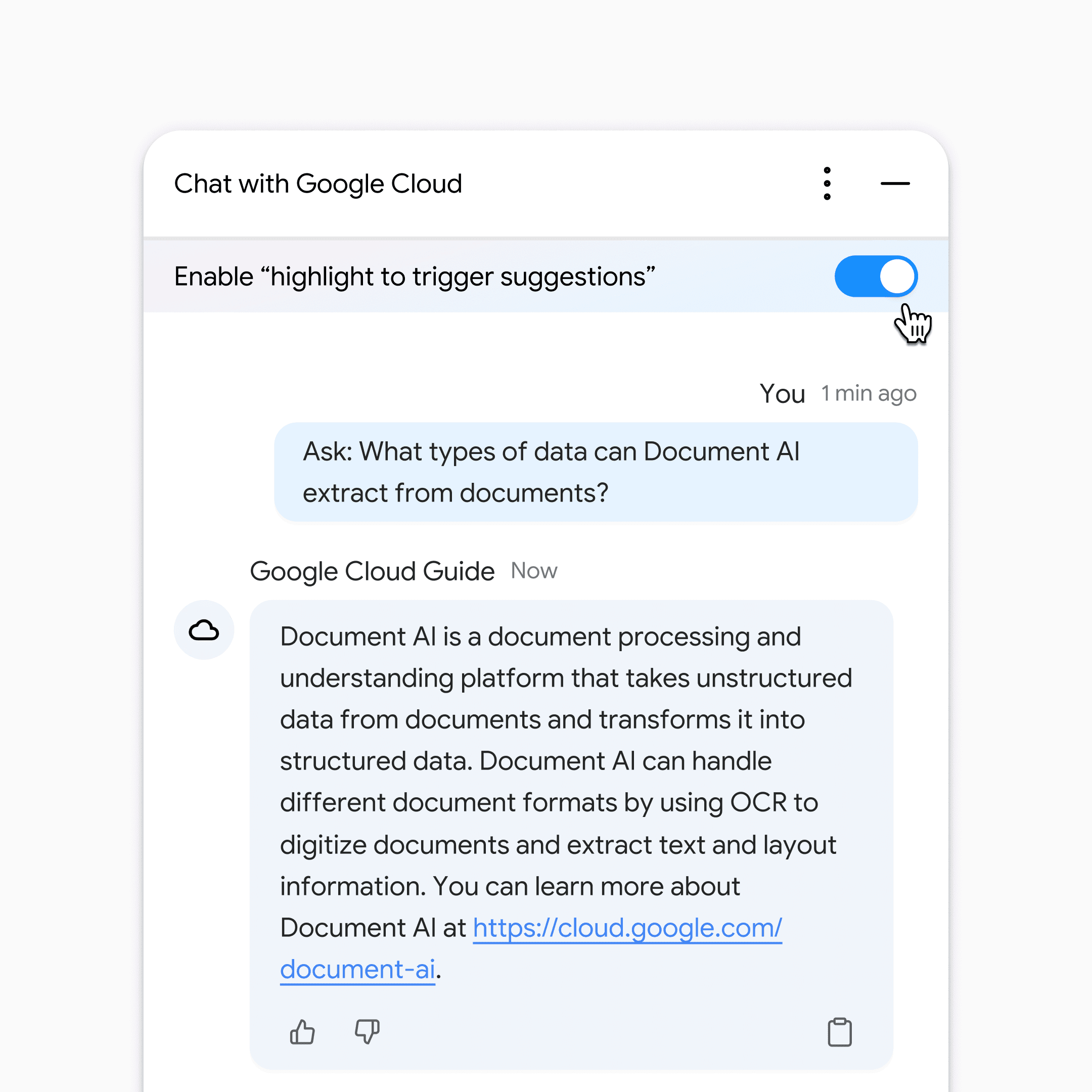
A toggle that allows users to enable or disable the feature at any time

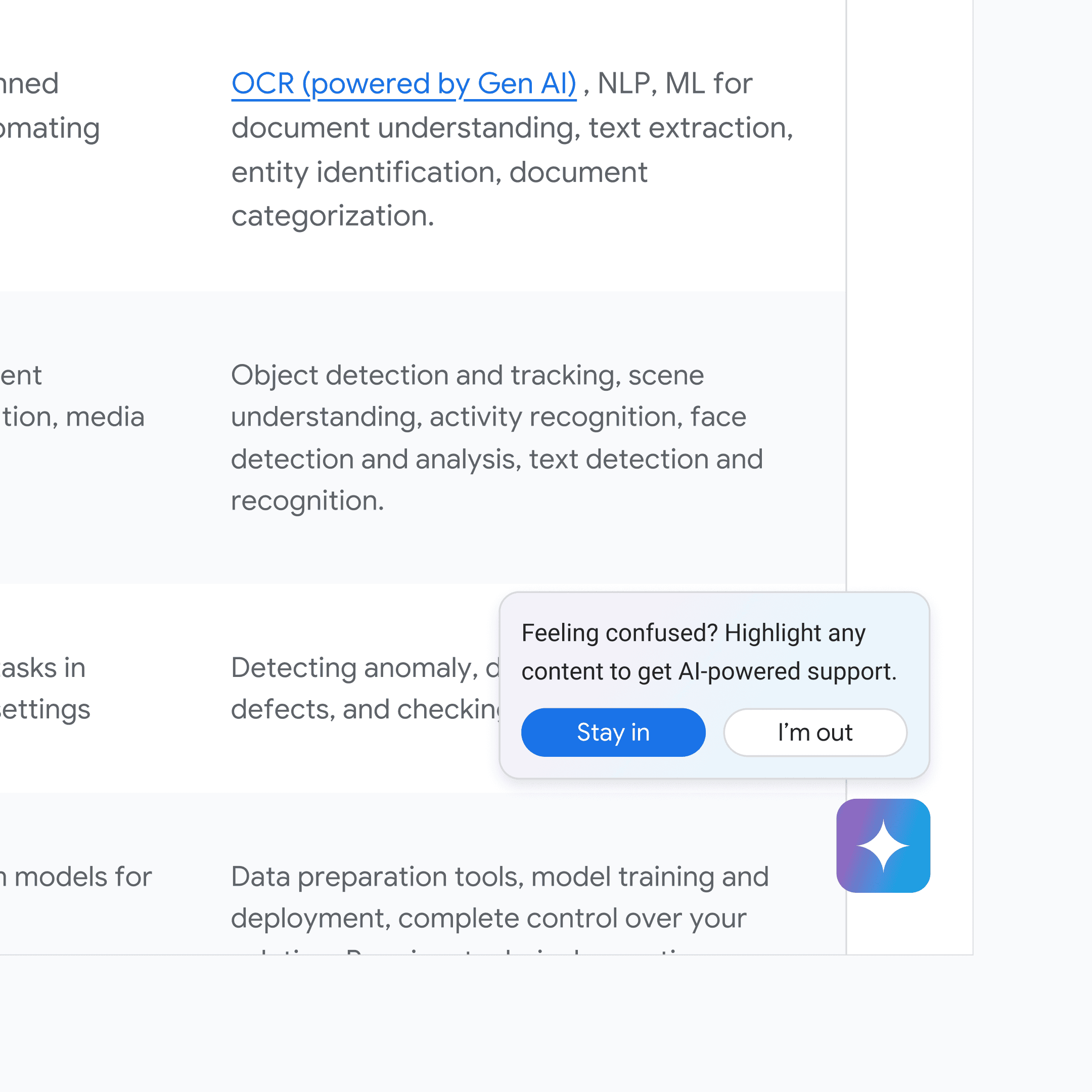
A one-time floating pop-up introduces the feature and allows users to opt-in, explaining the benefit

Final Design

Vince can now highlight a technical term or a product name he's curious about and get instant, contextually relevant AI support

Outcome

The proposed designs received positive feedback from our stakeholders

👩‍💻

Client / UXR at Google Cloud

"Your whole project was thorough... key insights were woven into the overall narrative and you clarified the why behind your design explorations."

👨‍🦰

UX Lead at Google Cloud

"This is amazing! The initial prompt we provided was so broad, yet you've managed to... deliver such a refined and impressive result."

Next Steps

If I have more time

📊 Track these metrics:

After launching, we want to track the following metrics to evaluate the performance of these features: engagement rate, user feedback and satisfaction, feature drop-off rate, and retention rate.

👨🏻‍💻 Consider more tech-savvy user groups

During stakeholder feedback sessions, one product manager mentioned that a context-aware assistant would be very helpful for tech-savvy users, such as developers. If I had more time, I would like to consider the needs of the entire spectrum of users.

👥 Conduct user testing to validate our concepts

We don't have the time or resources for full user testing. To further validate our personas, we plan to conduct moderated user feedback sessions with business decision-makers and iterate based on their feedback.

Takeaways

Looking back

Designers don’t work alone—collaborating with stakeholders drives design iterations

Close collaboration with stakeholders drives rapid design iteration. The most inspiring moments come from stakeholder feedback sessions, where I gain fresh ideas and quickly prototype and iterate after each discussion. This approach is particularly effective for websites with diverse stakeholder needs.