Rubrik Help Backup Admins Better Update Login Access

Currently, Rubrik Security Cloud (RSC) is Rubrik's centralized SaaS platform. However, updating admin access (password, MFA, SSH key) cannot be achieved in RSC.

This project aimed to create a new, user-friendly way for backup admins to update their login credentials for Rubrik's SaaS platform. The goal was to improve security and save companies time and money.

Timeline

May 2025 - Jun 2024 (6 weeks)

Timeline

May 2025 - Jun 2024 (6 weeks)

Team

PM, ENG, UX Researcher, UX Writer

Team

PM, ENG, UX Researcher, UX Writer

Contributions

End-to-end Design

Contributions

End-to-end Design

Outcome

Delivered for implementation, impacting 6,000+ customers

Outcome

Delivered for implementation, impacting 6,000+ customers

Shot of a smartphone on a grey background

Context

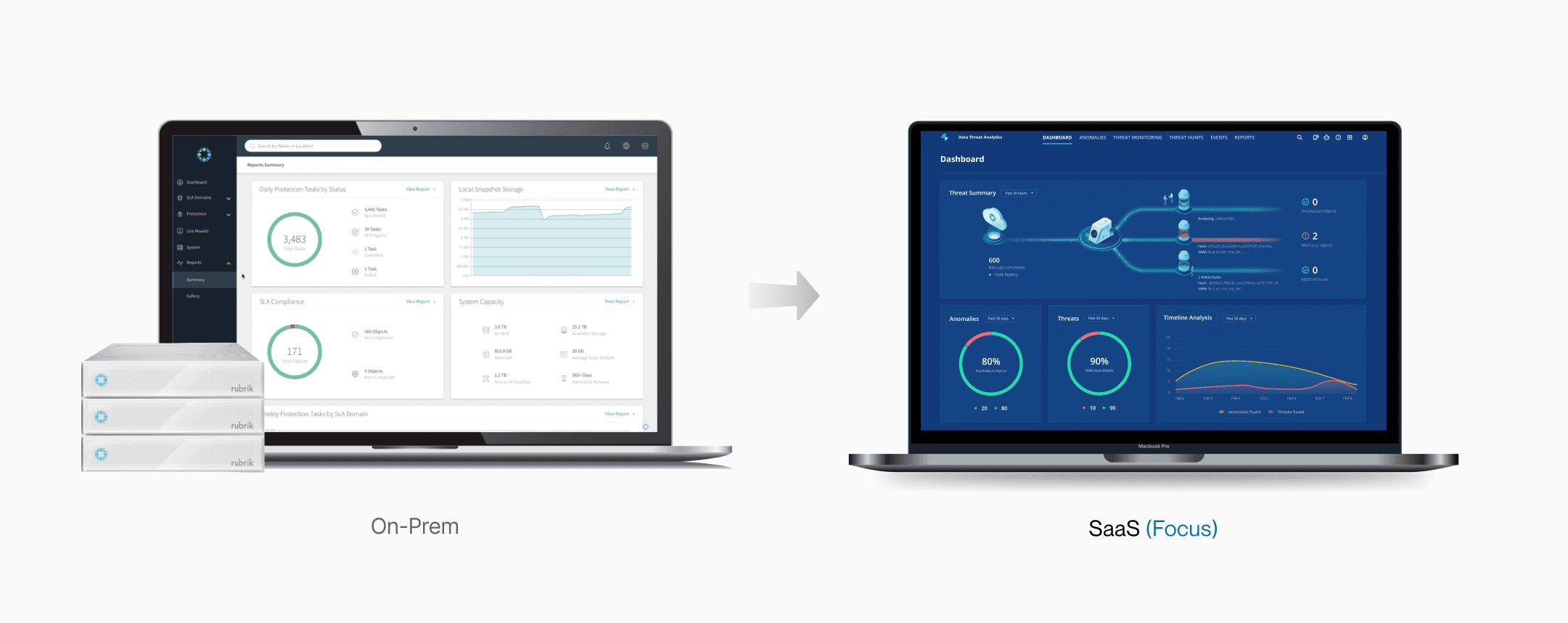
Rubrik is transitioning from an on-premise to a SaaS model, but admins must still update access on their legacy systems

Rubrik's Cloud Data Management (CDM) is the original software that runs on the company's hardware storage units (called “briks” or clusters) to help admins manage data backups. Later, the company introduced Rubrik Security Cloud (RSC), a modern, all-in-one online platform that includes all the features of CDM plus additional capabilities. Despite the move to the new RSC platform, a key function was left behind: updating the admin access.
Problems

The update process was insecure, time-consuming, and costly
🔐

Security Risk

Forgotten accounts on individual clusters often kept weak, default passwords

Wasted Time

For large enterprises, admins spent hours logging into clusters to updates

📞

High Support Costs

Backup admins frequently forgot passwords, which led to a high volume of calls

🔐

Security Risk

Forgotten accounts on individual clusters often kept weak, default passwords

Wasted Time

For large enterprises, admins spent hours logging into clusters to updates

📞

High Support Costs

Backup admins frequently forgot passwords, which led to a high volume of calls

The Solution

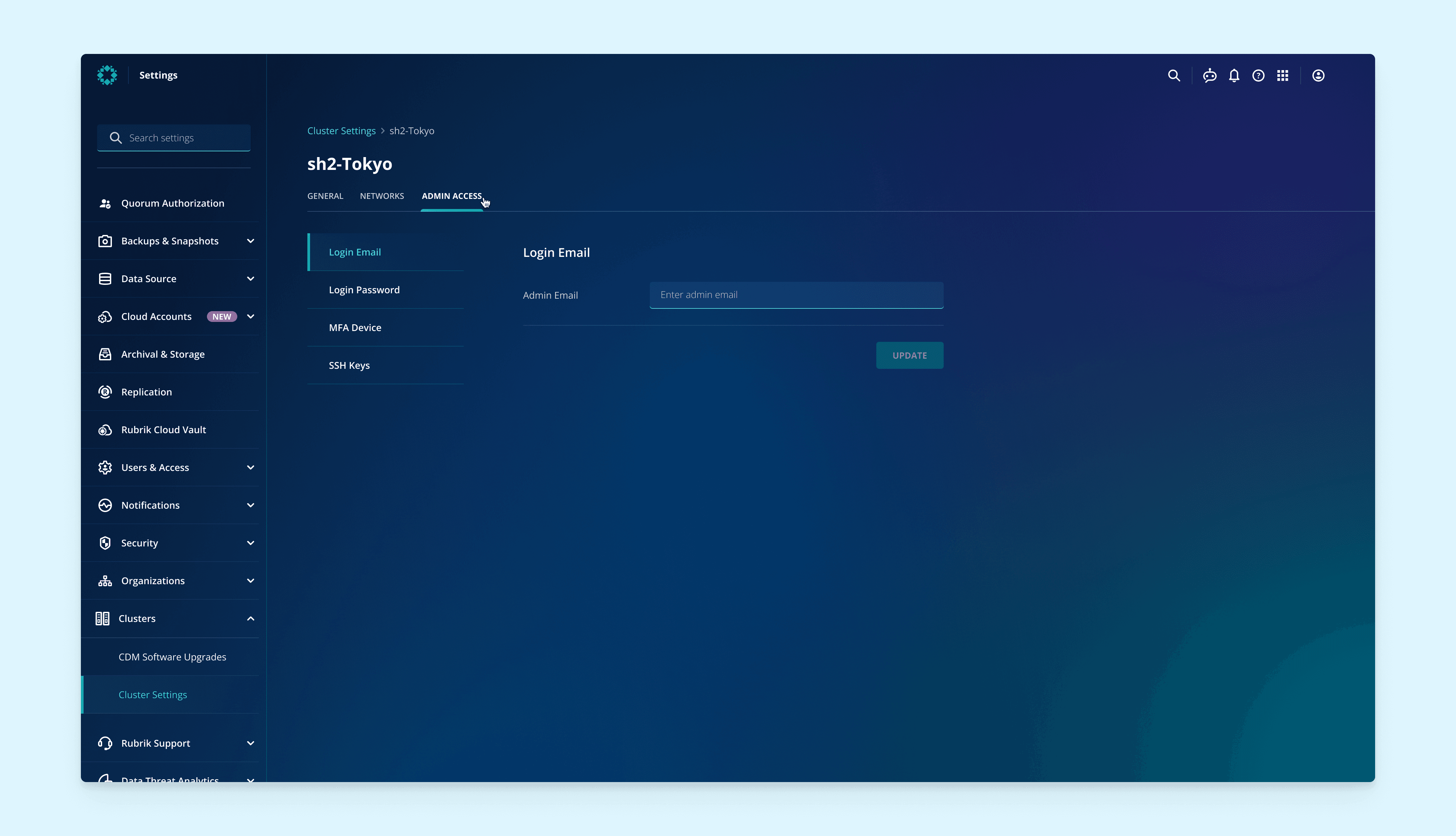
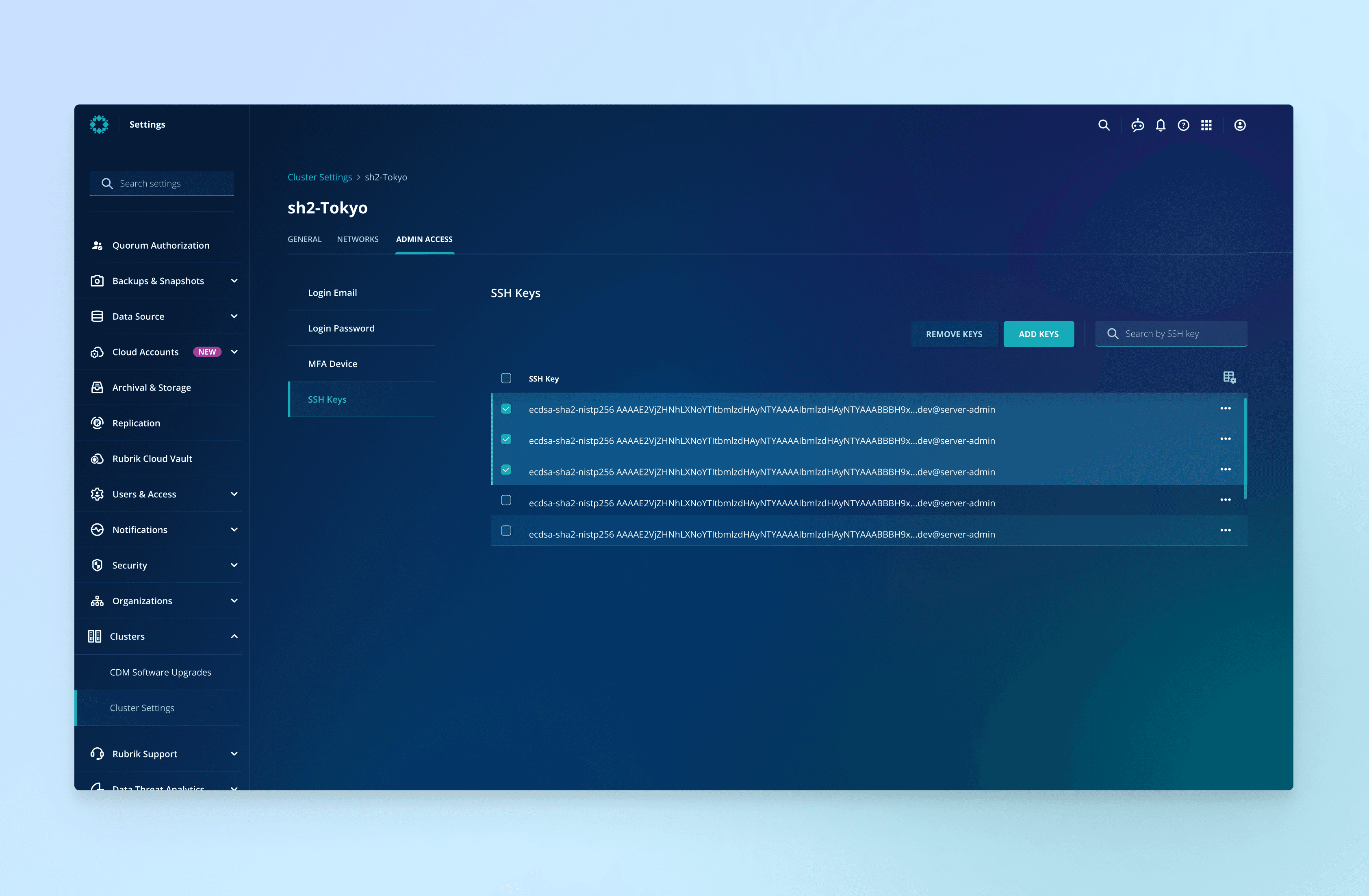
A feature inside Rubrik SaaS platform where admins could update their access

Update Login Email

Update Login Password

Update MFA Device

Update SSH Keys

So, how did I get there?

Entry Point Explorations

How to advocate for a more intuitive entry point with PM?

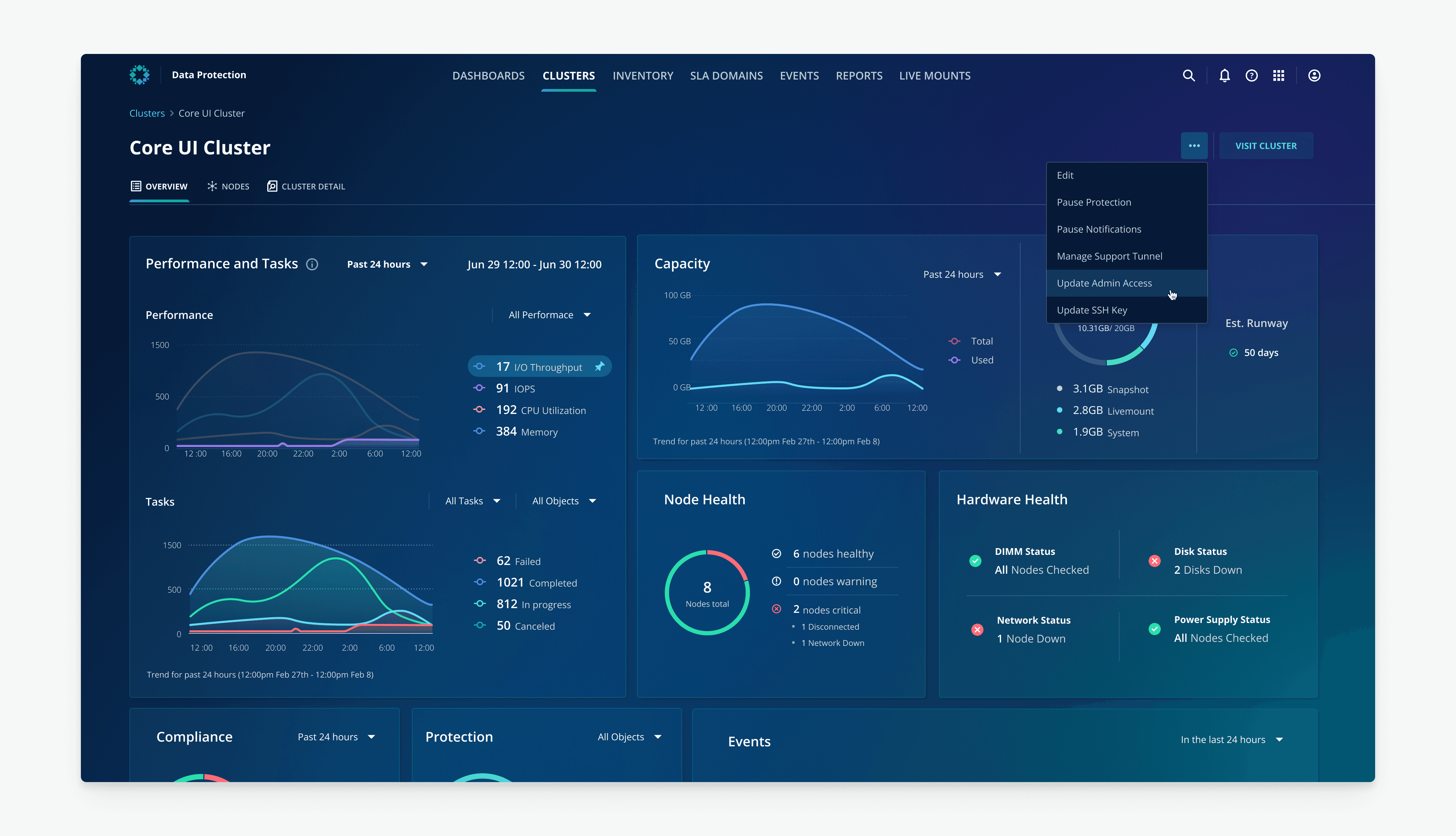
PM's initial proposal: Infrastructure > Cluster > Cluster Details

PM's initial proposal was to place the feature under Cluster Details. However, after talking to the 'Cluster' domain owner, I identified a clear UX mismatch: this page is designed for daily operational tasks (like pausing notifications), not core account settings.

This page is for frequent, operational tasks, while managing admin access is an infrequent setting

"Admin Access" is not relevant to the detail page's content

My proposal: Settings > Cluster Settings

Updating admin access is a core account setting, not a daily task. Therefore, I proposed moving the entry point to Settings > Cluster Settings, which better aligns with the user's mental model.

This section is dedicated to general and persistent cluster configurations

A more logical fit

SSH Key Design

How to balance user needs and engineering constraints?

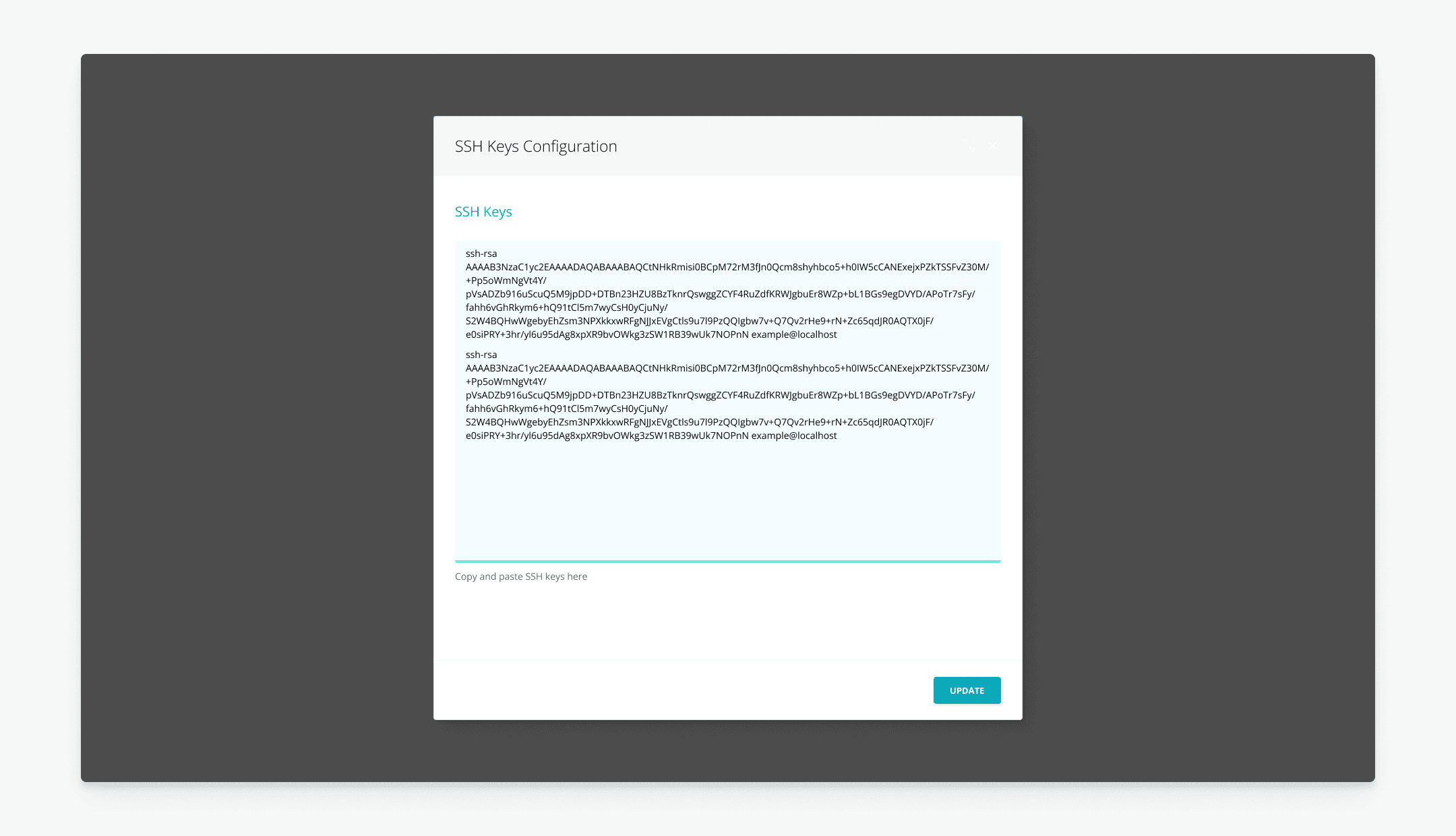
Before: A text block for multiple SSH keys, using lines to distinguish between them

Integrate critical data to the table to reduce cumbersome navigations

No clear visual separation between individual keys

Error-prone when deleting and editing

When an error occurs with multiple new keys, it's hard to identify which specific one is the problem

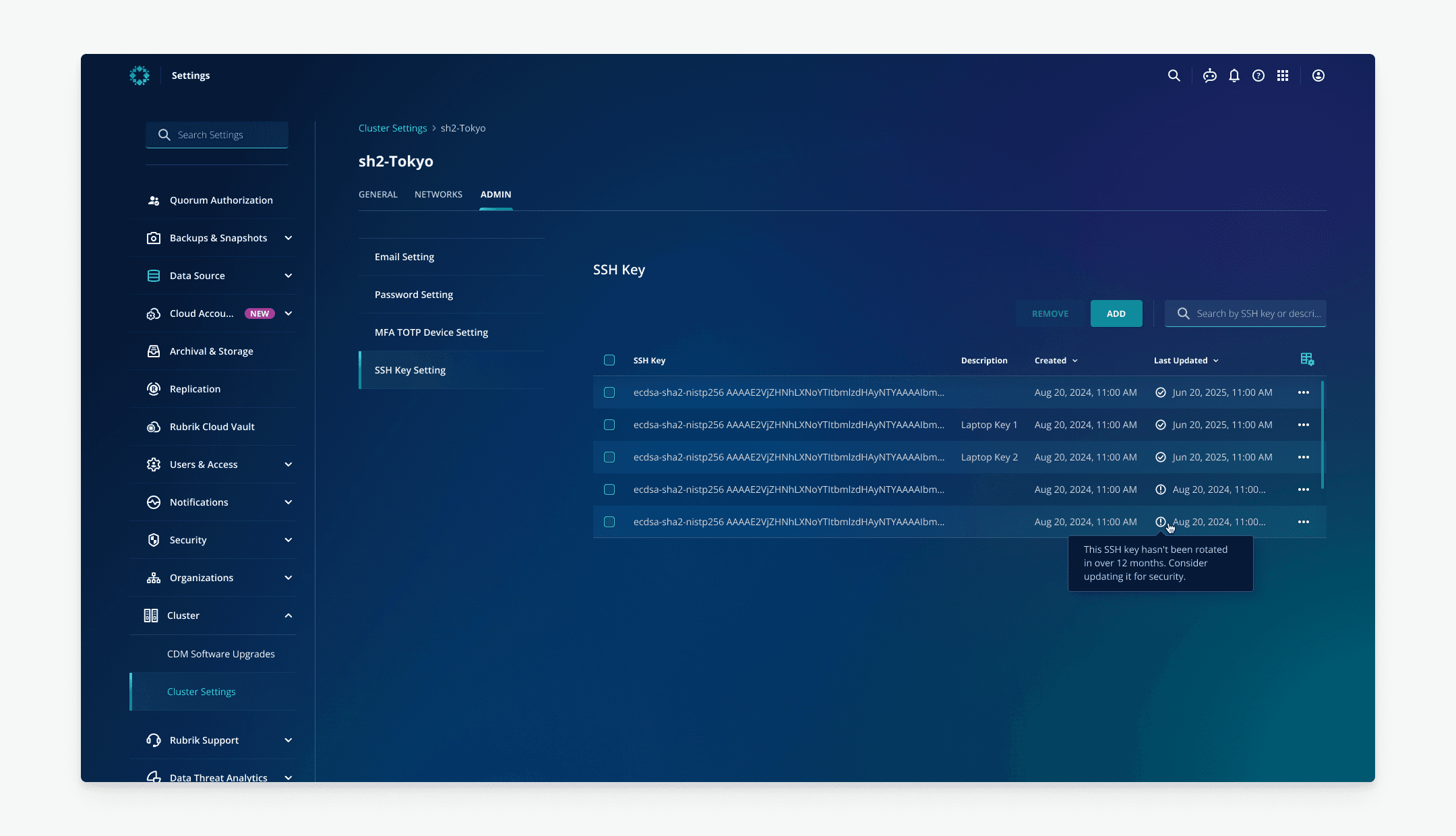
V1: A table with dates and warnings for old keys

After doing competitive analysis to learn about best practices, I created initial design, but engineers noted that sorting was difficult since keys were stored as plain text in the backend.

Each key is a distinct row, making information easy to scan and understand

A search bar and list view allow users to instantly find a key even in a long list

Adds critical data like descriptions and dates

Proactively flags security risks with warnings for old keys

Engineers suggests that the backend's plain-text key storage cannot be changed

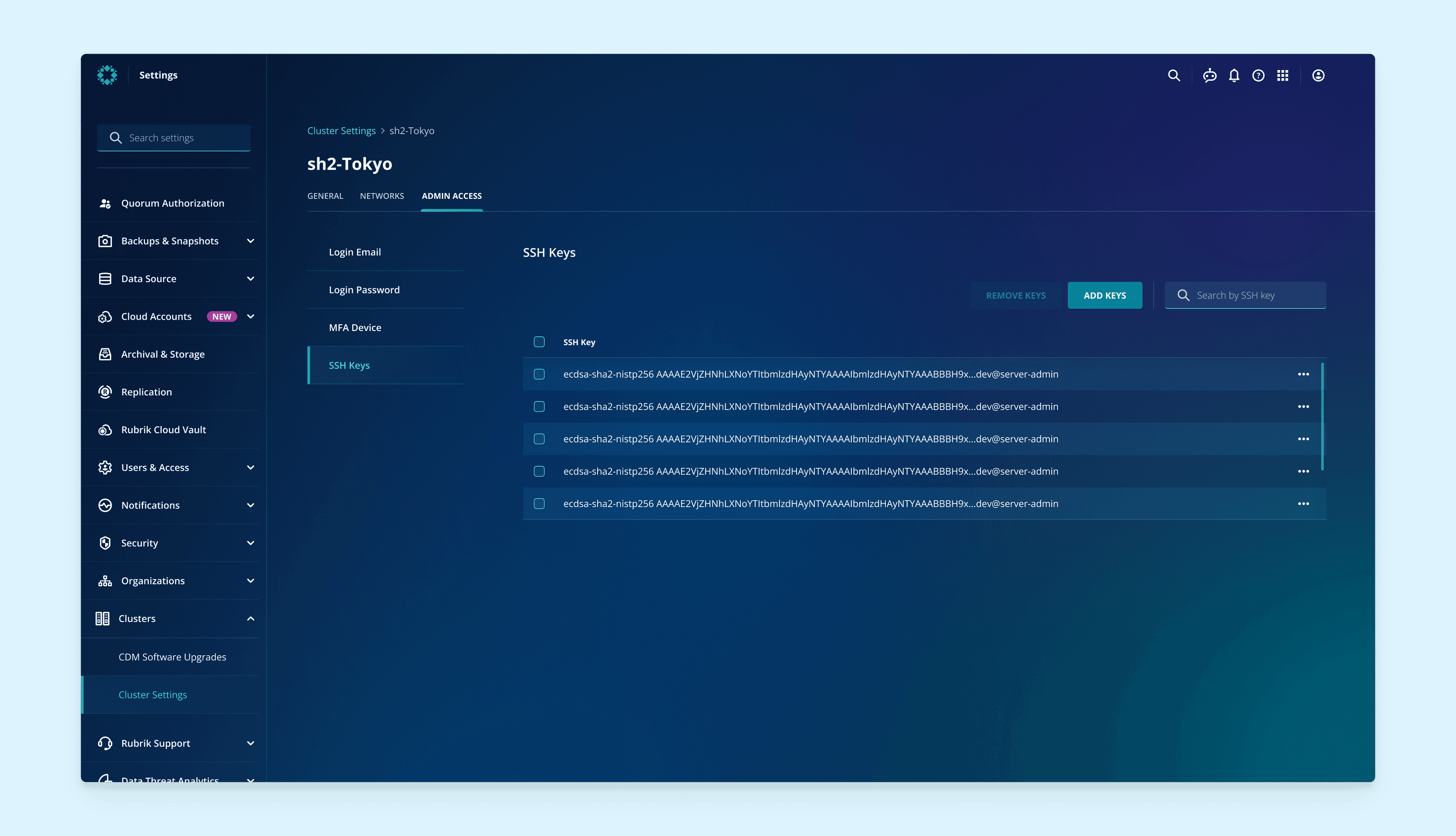
Final: A table with distinct rows of SSH keys

As a compromise, I proposed showing the keys in an organized table on the frontend to reduce errors, while removing the error icon and time column so engineers could continue handling sorting as before in the backend. This improved the user experience without requiring major backend changes.

Warning Design

How to clarify the outcome of the step appropriately?

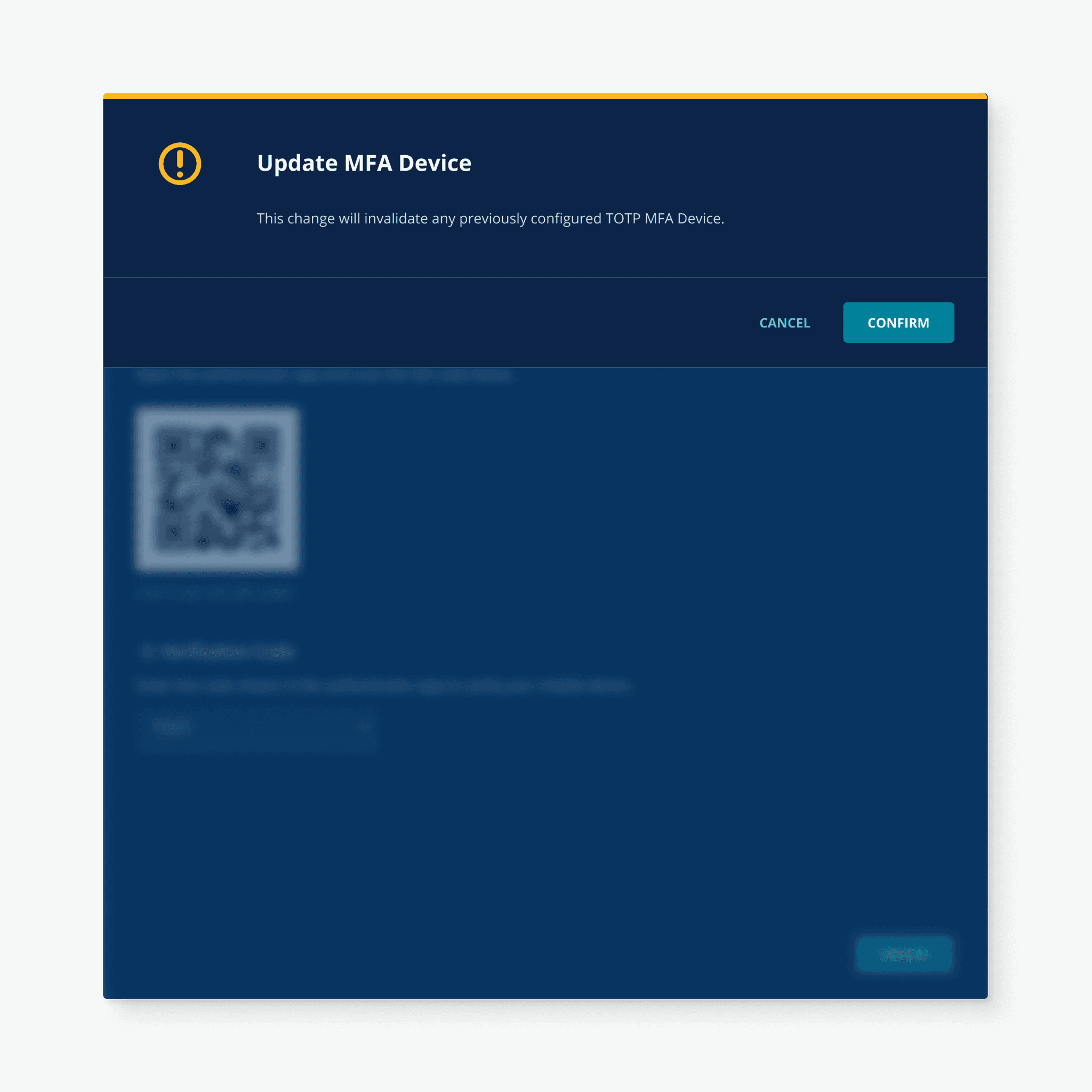
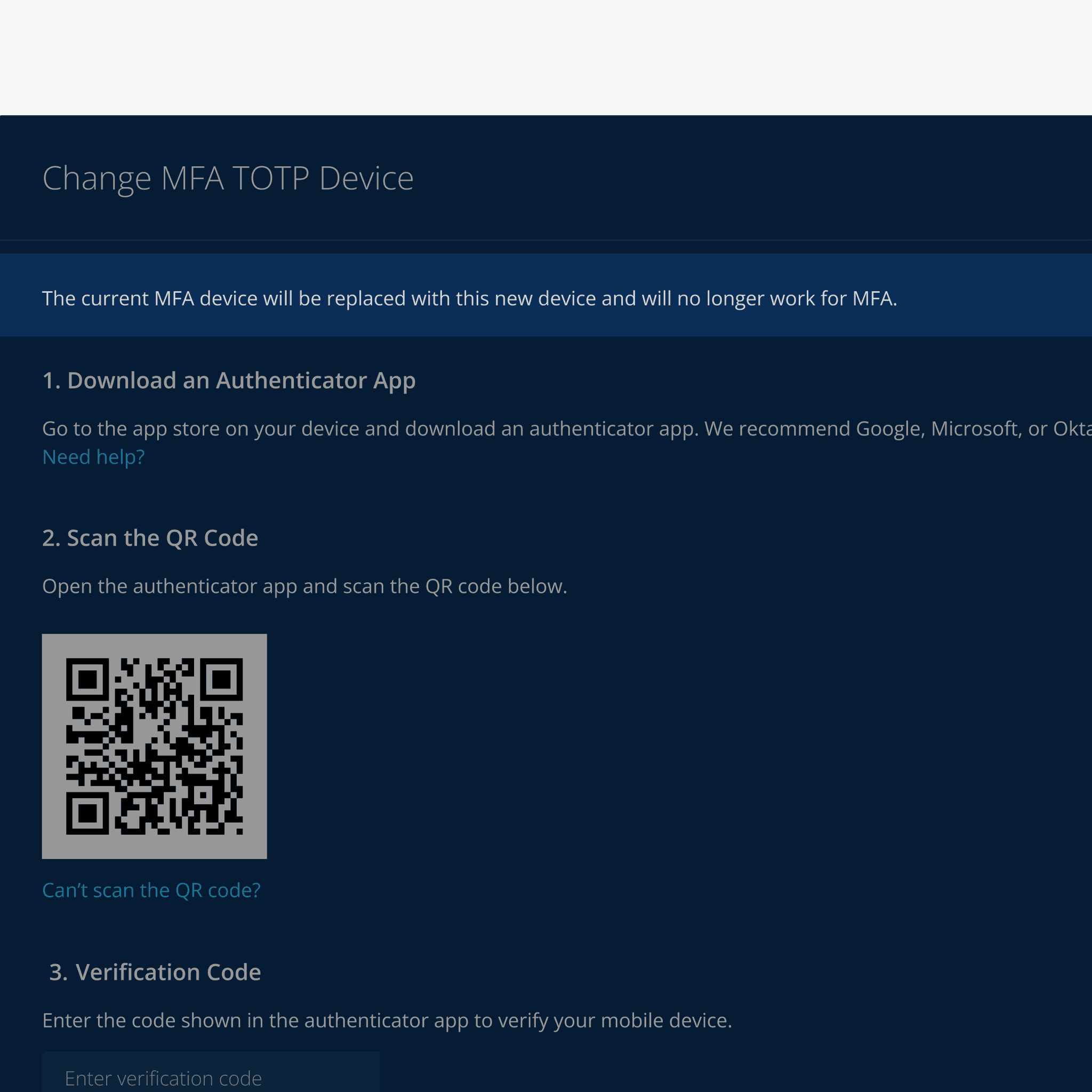
In the "MFA" flow, updating a user's method will invalidate all previously registered devices. However, during the UX writing review, our writer noted that users might not be aware of this consequence until the final confirmation modal. To address this, I added a brief explanatory sentence in the earlier step.

V1: Separate warning into another step

Users might not be aware of this consequence until this

V2: Add one line to show consequence

Added an explanatory sentence to Inform consequences

Easy to ignore

Not require any confirmation

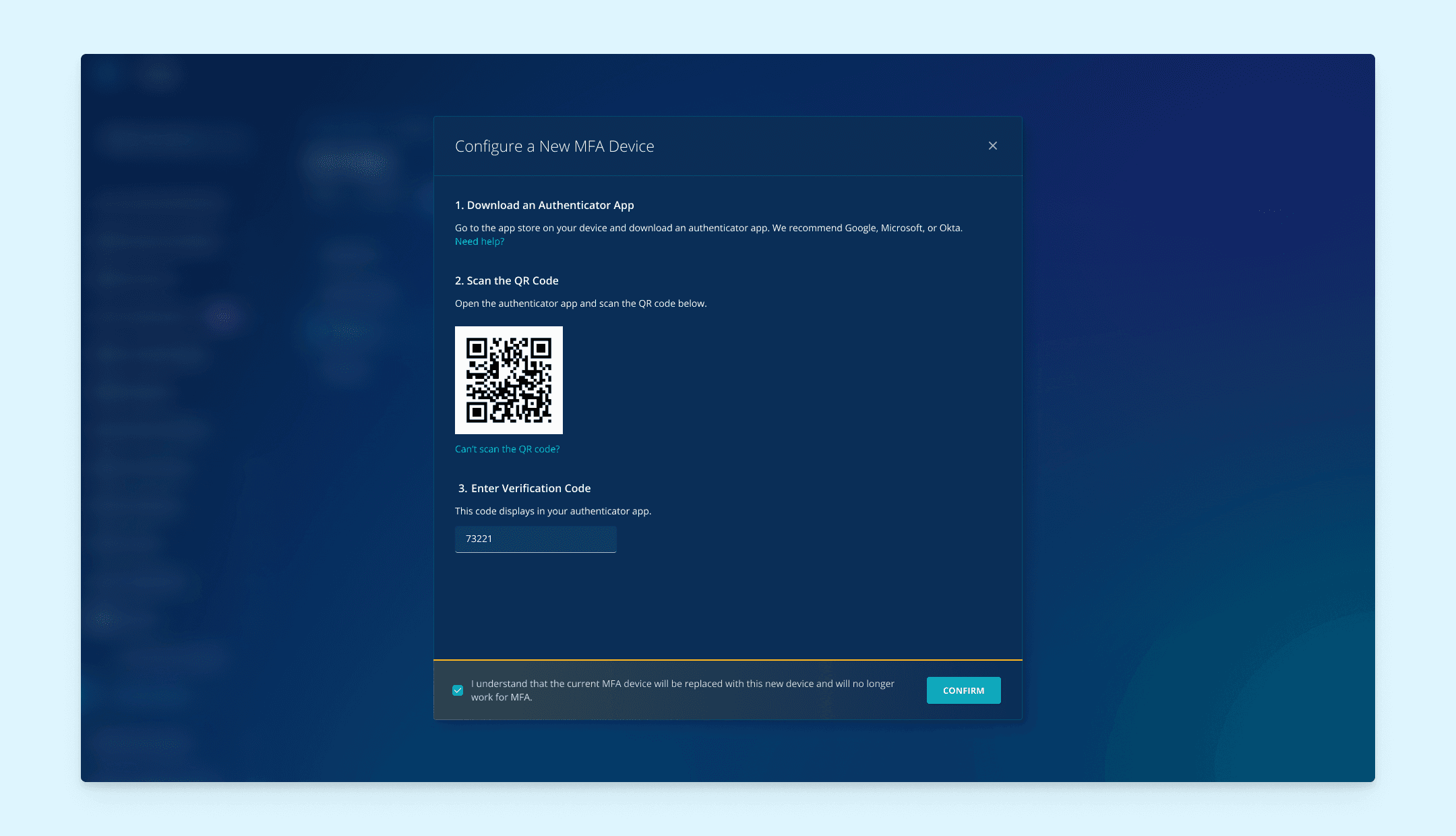
Final: Use modal footer notification to display warning in one step

Because V1 wasn’t prominent enough and could be overlooked. I iterate to place a prominent footer notification within the modal (Final), thus warning users upfront without adding extra steps to the process.

Combine the consequence of this action and make it prominant

Reflections

What I learned…

✍️ Content is part of the design

The words and instructions within a design are just as important as the visuals. For this project, adding a clear warning message was a critical design solution that improved the user experience by making users aware of important consequences upfront.

👥 Talk to domain owner early and often

Speaking with experts is the fastest way to understand the complex features and make smart design decisions. For example, consulting the "Cluster" domain owner was essential for quickly understanding that the PM's initial proposal for the feature's location was not a good fit, leading to a better final placement in the "Settings."

🎨 Design system is a source of inspiration

A company's design system is more than a set of rules; it's a source of ideas. For example, Rubrik's design system provided established practices for how to inform users and ensure they read critical information before proceeding, which was helpful when designing the warning notifications for this project.