Solution Highlights
Listing page that allows users to quickly scan and choose the severe anomalies to dive deeper
视频之后补充
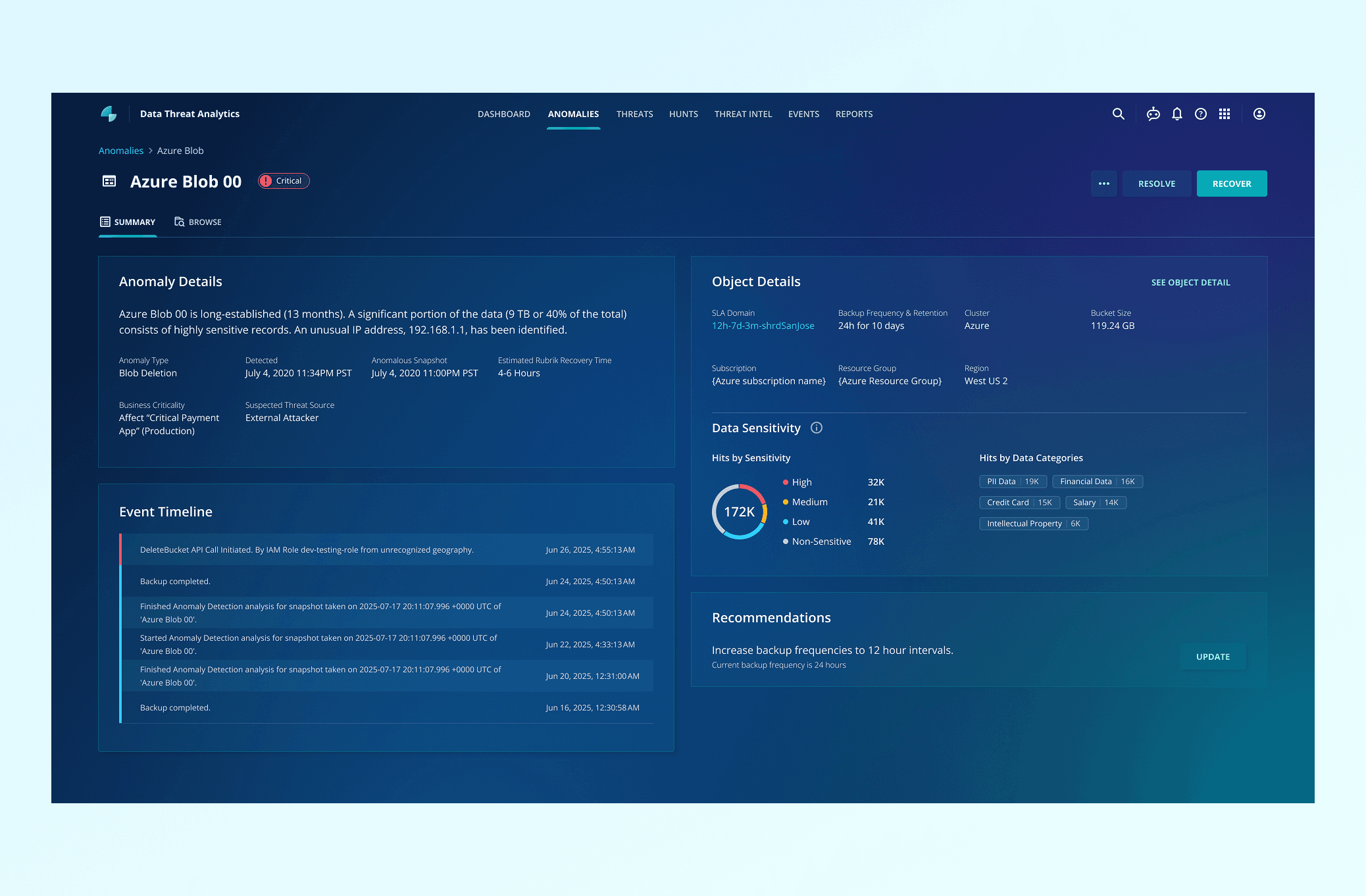
Detail page for Investigate this anomaly and understand the context without complex nagigation to other apps
Browse files inside a bucket to Look into the files inside to understand the impact of this deletion
Context
What is Anomaly Detection?
Anomaly detection is a Rubrik's feature under "Data Threat Analytics." It utilizes machine learning to identify unusual activities within an organization's data, such as the encryption of a large number of files. When an anomaly is found, it alerts users, enabling them to respond swiftly to minimize potential risks and data loss.
The User
Security Analyst
Goal: To recover data and systems after an anomaly has occurred.
Jobs to be done:
Determine the what, why, and when of the anomaly.
Identify the value of the files that were impacted.
Tell backup admins to restore systems to the best possible state from before the anomaly.

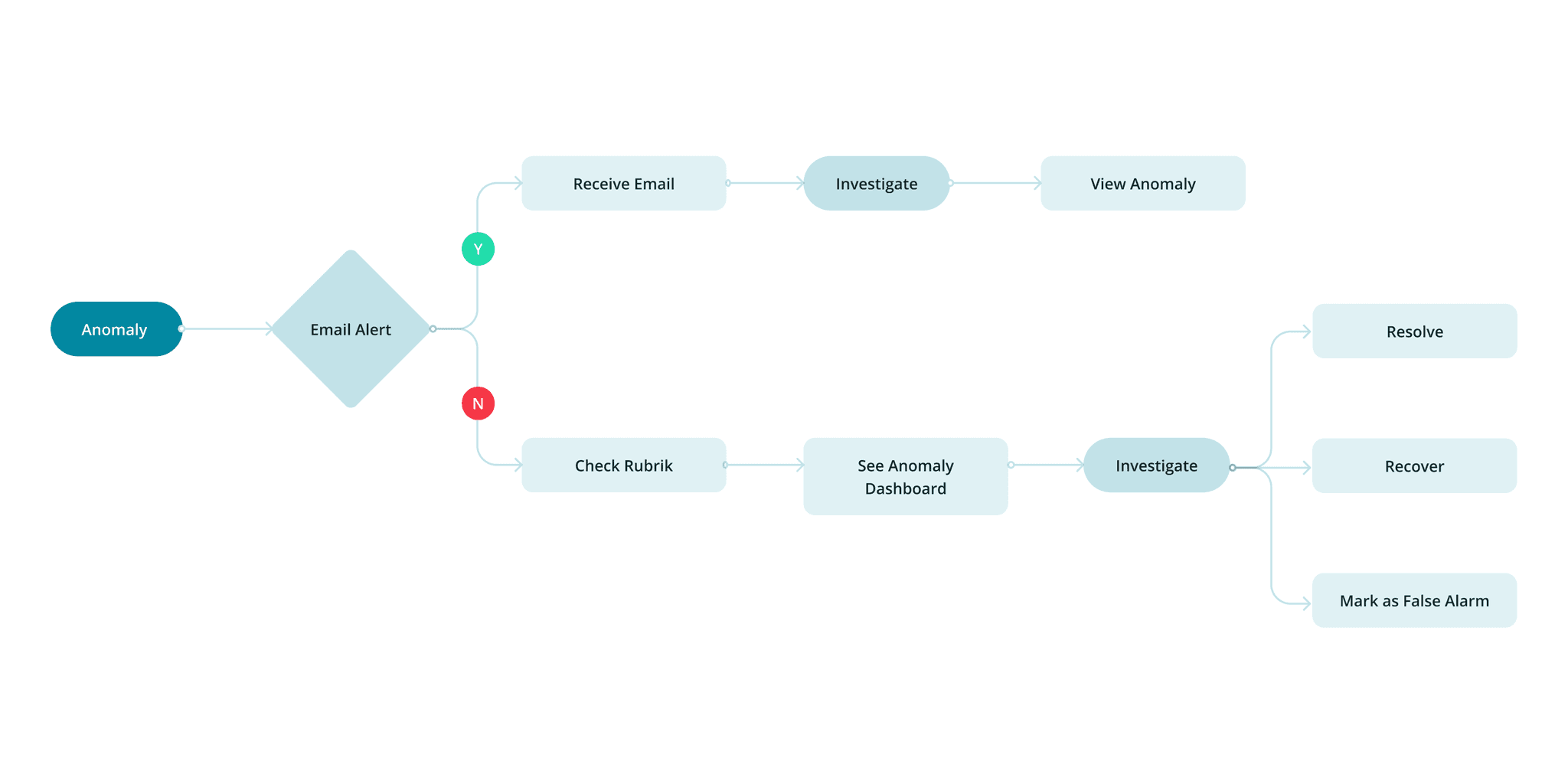
User Flow
The Problem
The requirement from PM side is to add a new feature. Initially we didnt do a lot design effort for quick launch, (e.g., adding a new type in the table column or adding some fields in the detail view). However, doing so lead to many usability issues, suggested by UX researcher's report.
Research shows existing usability issues:
(Research methodology: In-depth interviews with 11 participants across multiple organizations, representing both backup administrators and security specialists.)
🔍
Context Gap
Alerts lack critical information for decision-making
"I look at the alert, and I'm like, what in the world am I looking at? Are we getting attacked?"
⌨️
Overwhelming Info
The information on the listing page is overwhelming so users find it hard to scan and choose what to investigate next.
🛠️
Navigation Friction
Investigation workflow is disjointed and inefficient
"I have to go to a whole different room to find the device, pull the snapshots to do the search."
Design Solution 1
Overwhelming information → Simplify information
Users found the previous design overwhelming because it included detailed file changes and long lists of suspicious files. However, they rarely decide on next steps from this page, as investigations usually involve multiple aspects. Instead, the page primarily helps them quickly identify which anomaly to investigate.
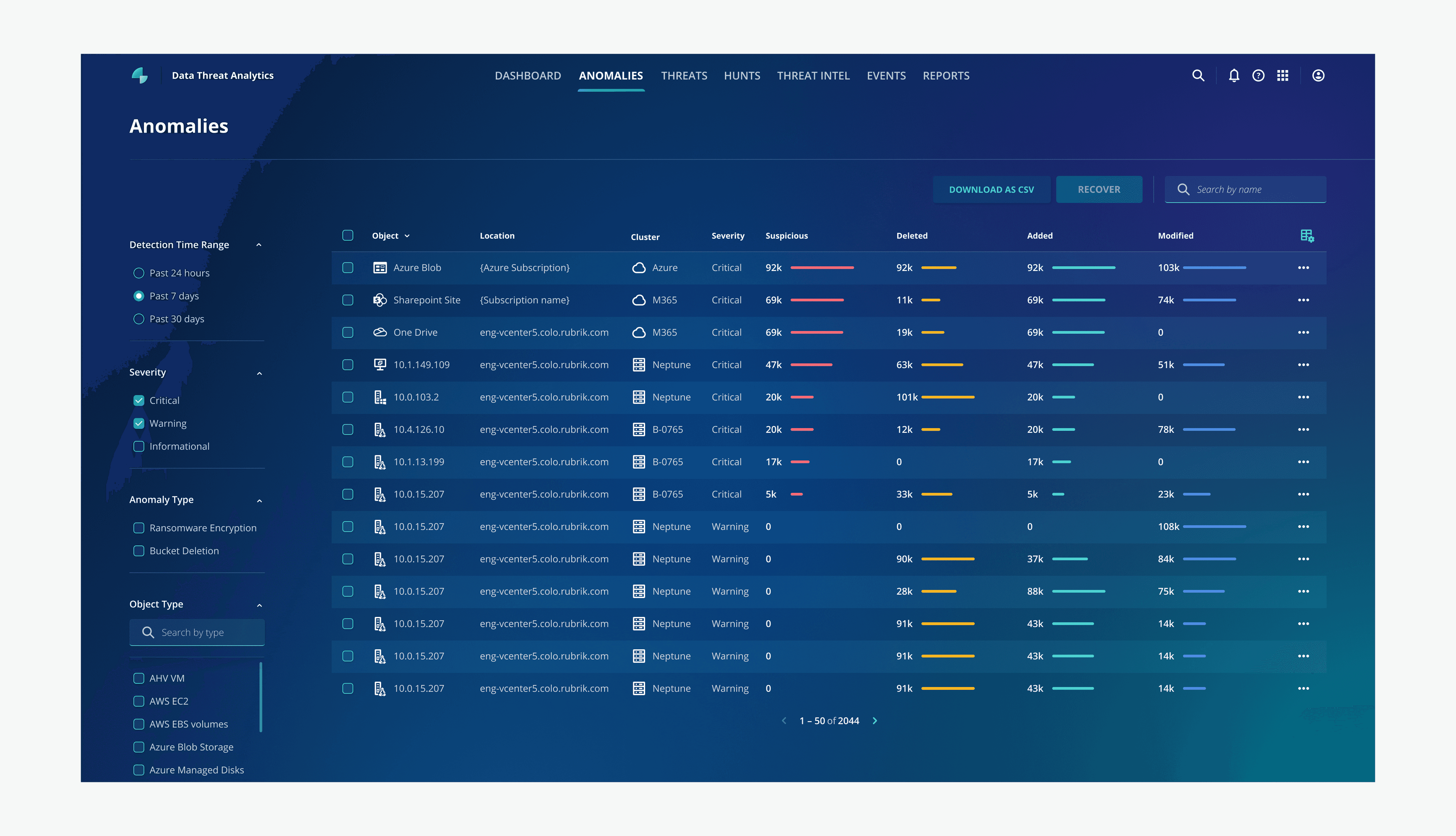
Before
Simplifies the listing page to reduce cognitive load
With the new design, I removed the “added,” “deleted,” and “modified” columns, since they no longer apply to the new anomaly type. I also highlighted severity column using chips to make it more prominent for users since this is important for users to prioritize which anomaly to look into.
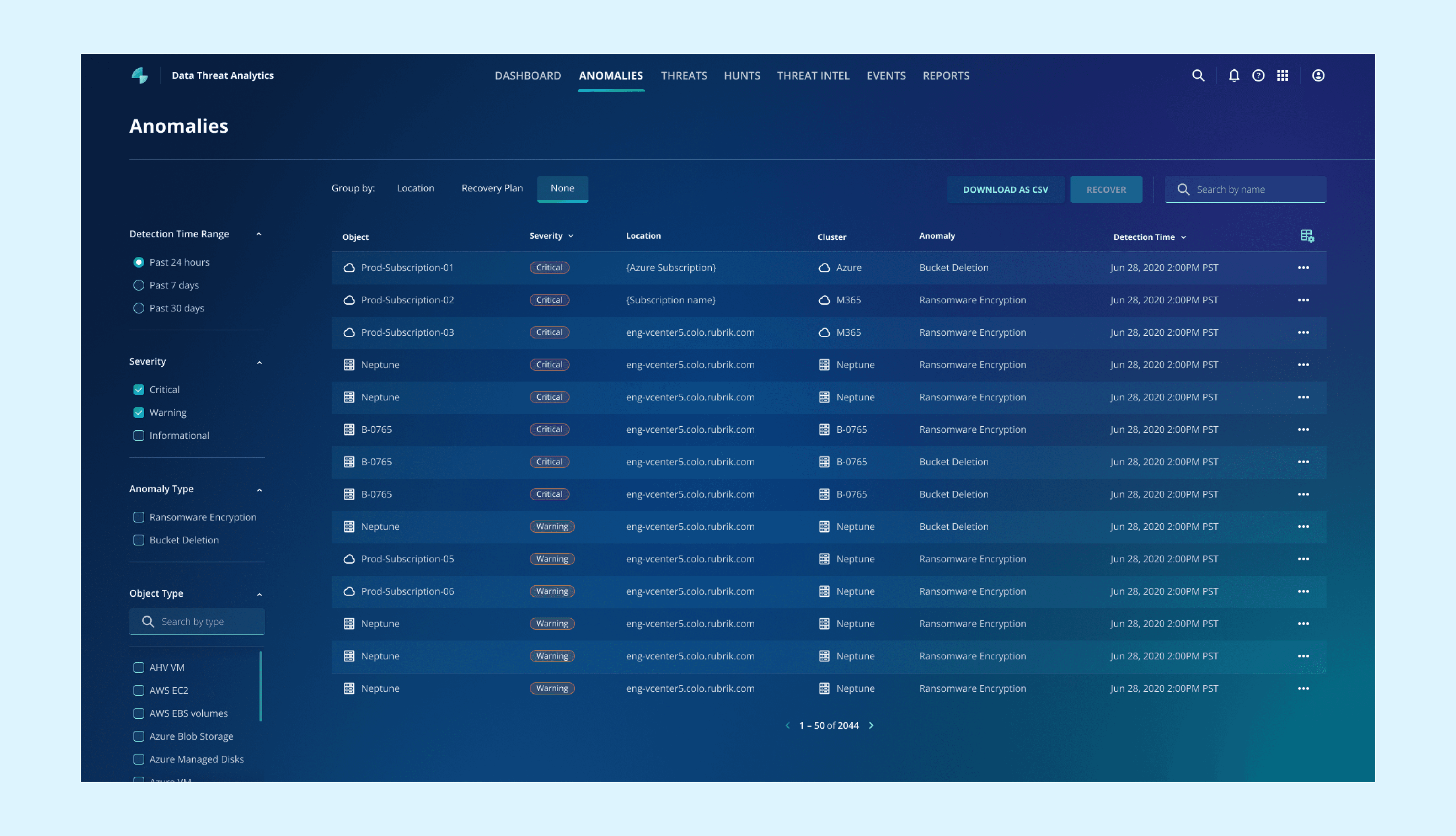
After
Group similar anomalies together to reveal patterns
In adddition to attack a single object, attack also happen in group. so I added a groupign on top that users can group anomalies by typical attack patterns.
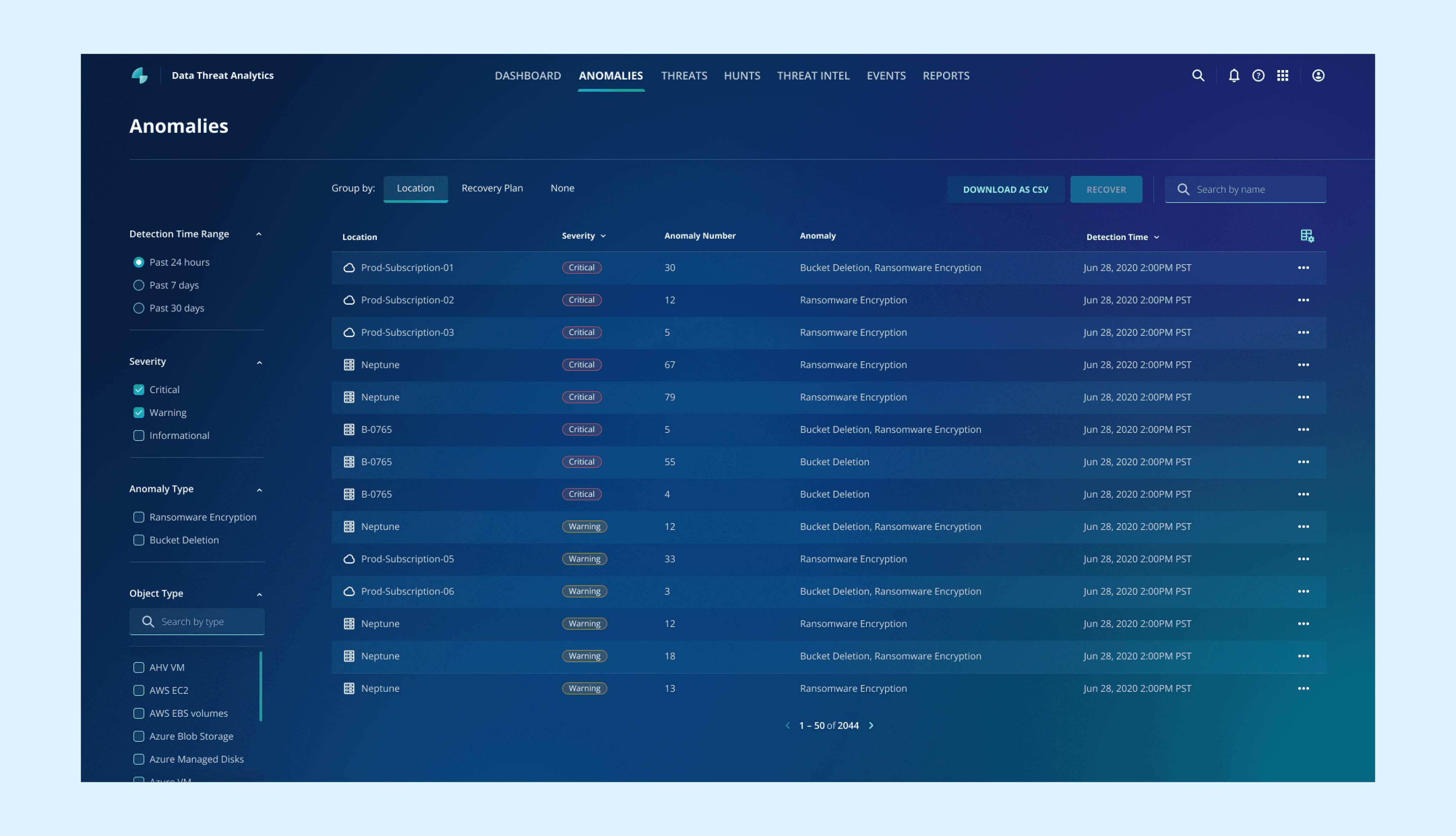
After: Group by location to reduce the overall anomaly numbers and provide investigation directions
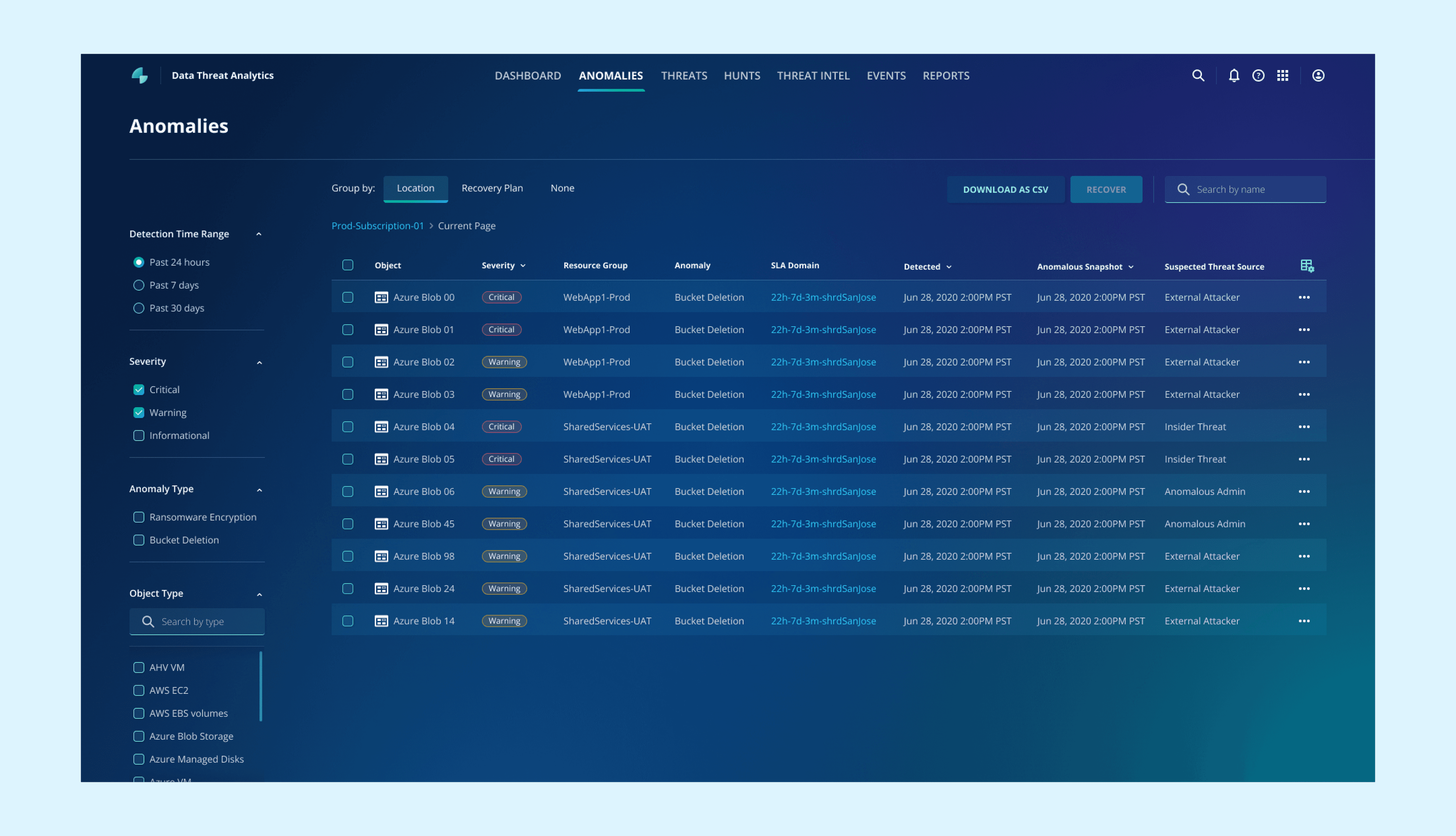
After: Under a group, the columns change to key factors of an anomaly for quicker comparison
Design Solution 2
Lack of context → Provide more context
From interview, we realized that users struggle to assess threat severity and appropriate actions as alerts lack critical information for decision-making.
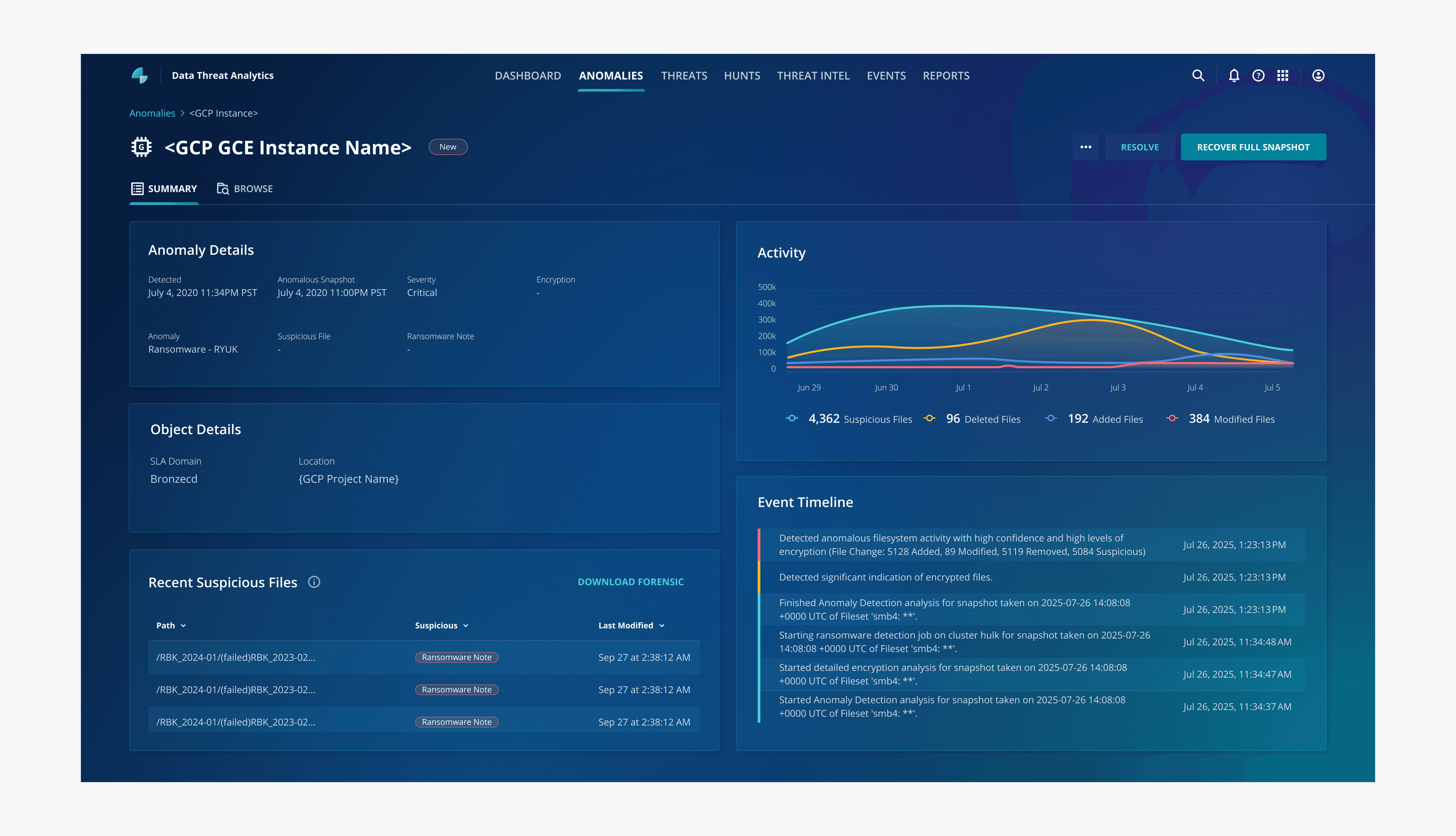
Before: the framework from ransomware encryption
Provide more context for users to better understand the context
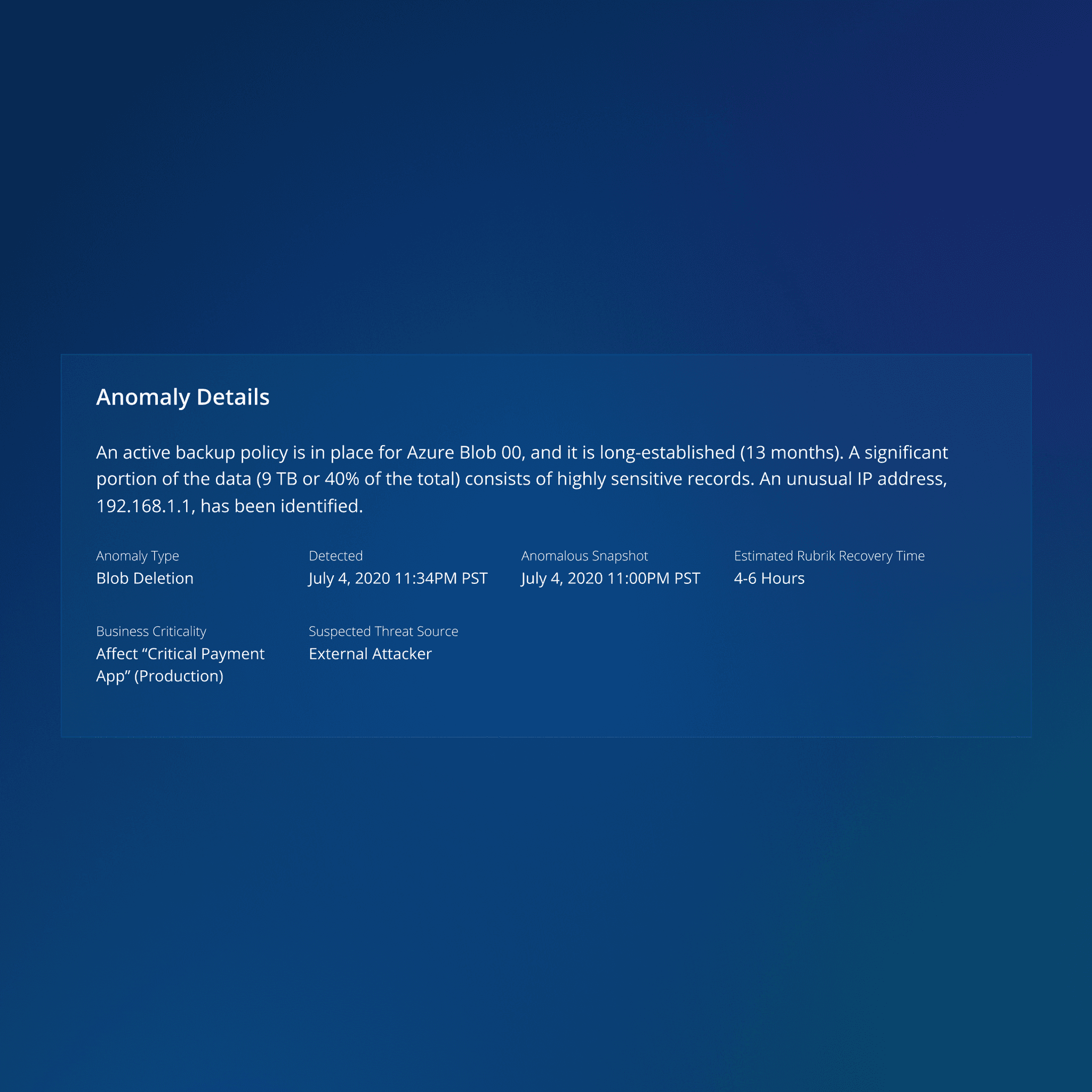
Added a paragraph that summarizes why Rubrik sent an anomaly alert and which metrics were triggered
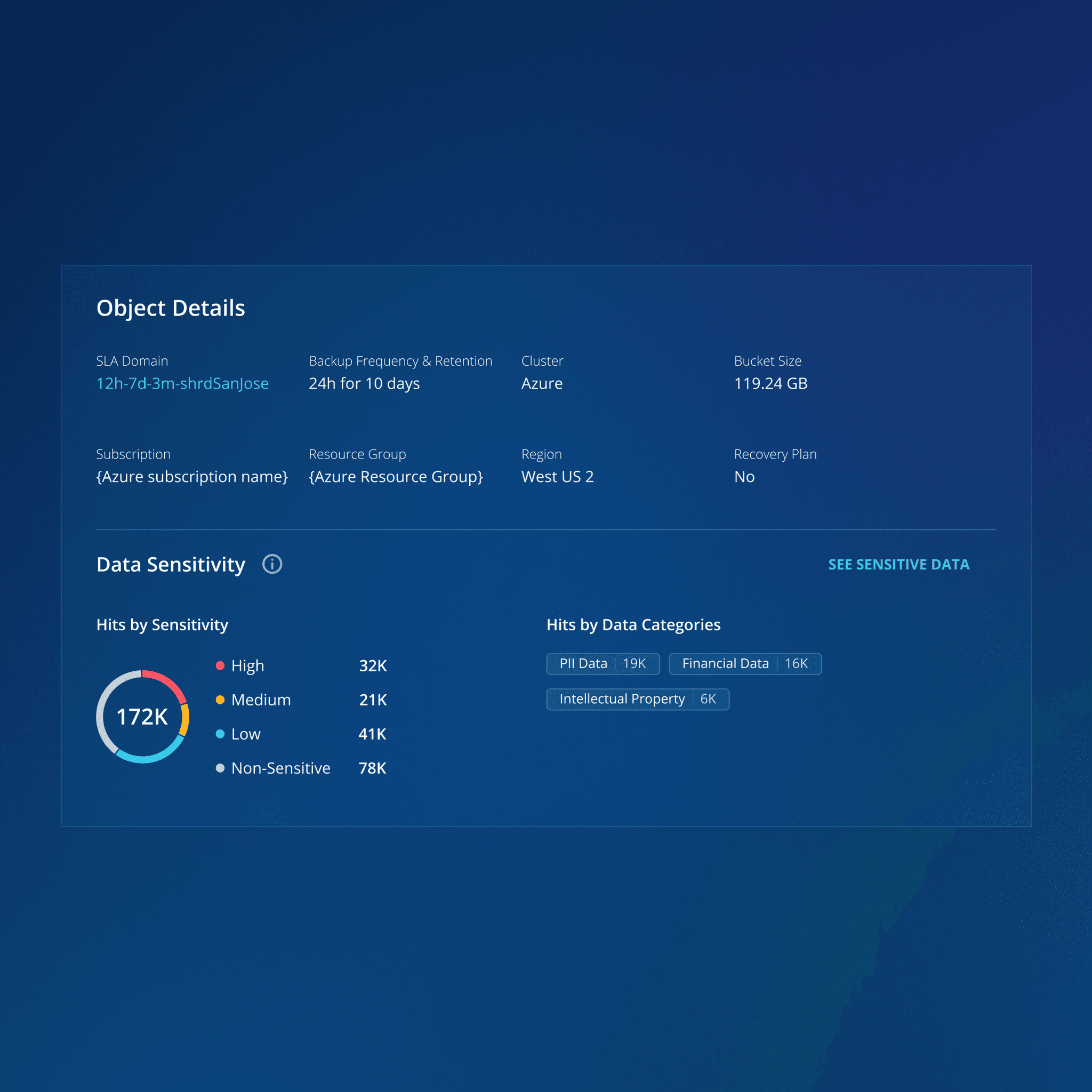
Add a "Data Sensitivity" section indicates file sensitivity to help users assess an attack's severity
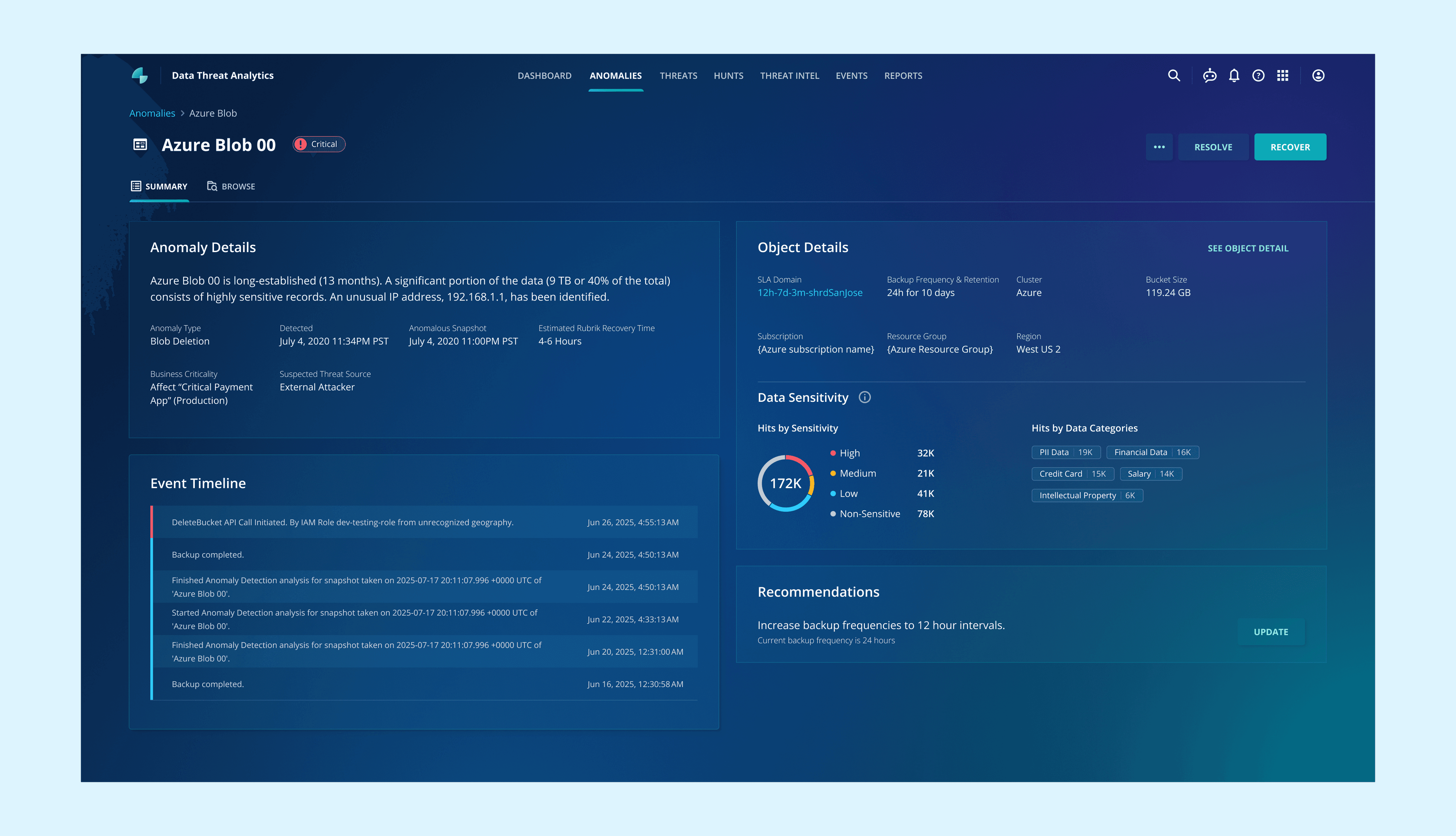
After: Add "Recommendations" to recommend actions
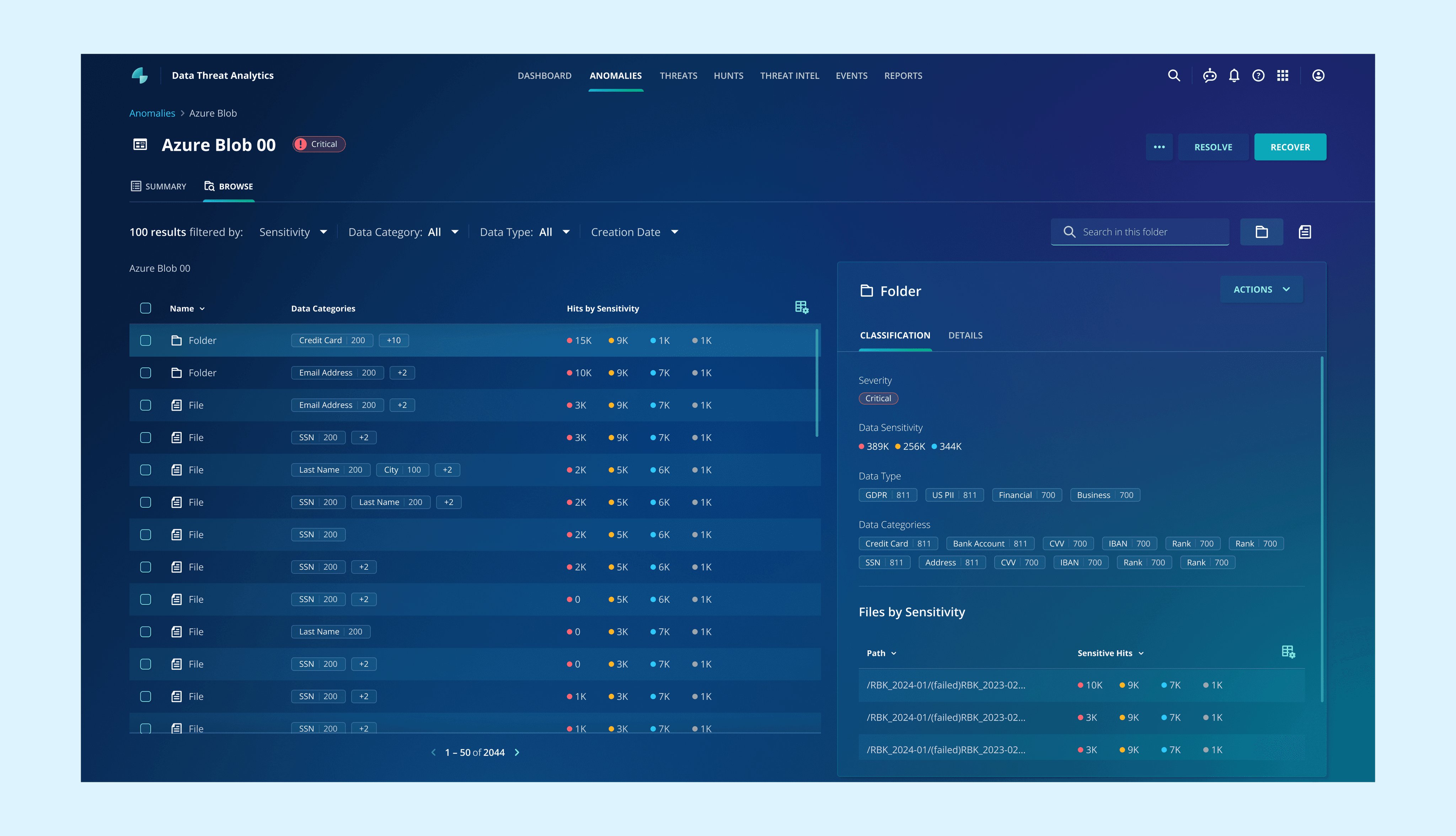
After: View by folder to navigate through a traditional folder hierarchy
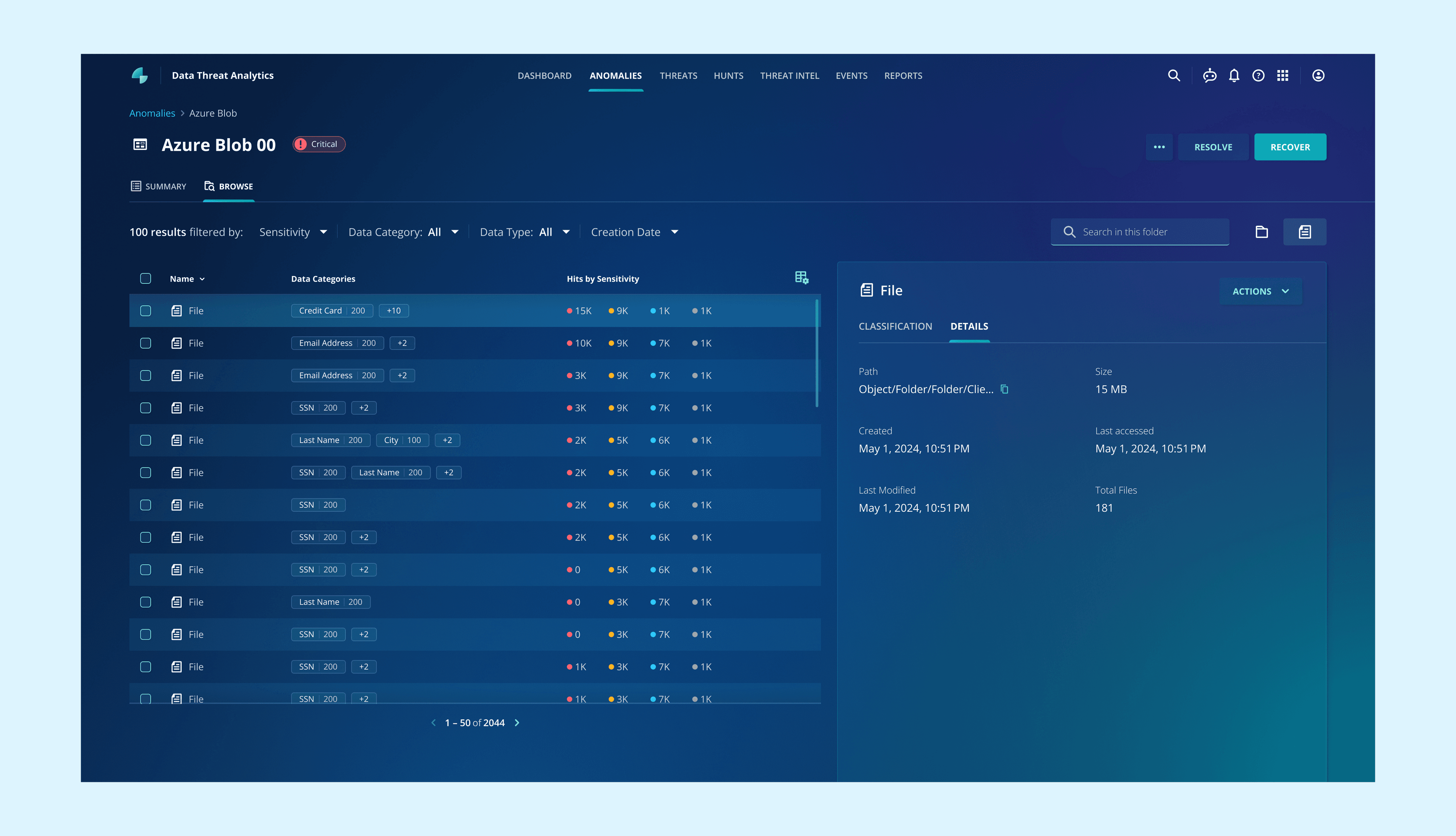
After: View by files to see all files and more easily sort the most critical ones
Why split view: This split view is better suited for investigation than the traditional table view, as it helps users see a folder’s contents without opening it. If they notice files such as salary information inside, they may decide to recover the folder.
Design Solution 3
Complex navigations → Streamline navigations
Users mentioned that they usually need to go to other rooms feels cumbersome.
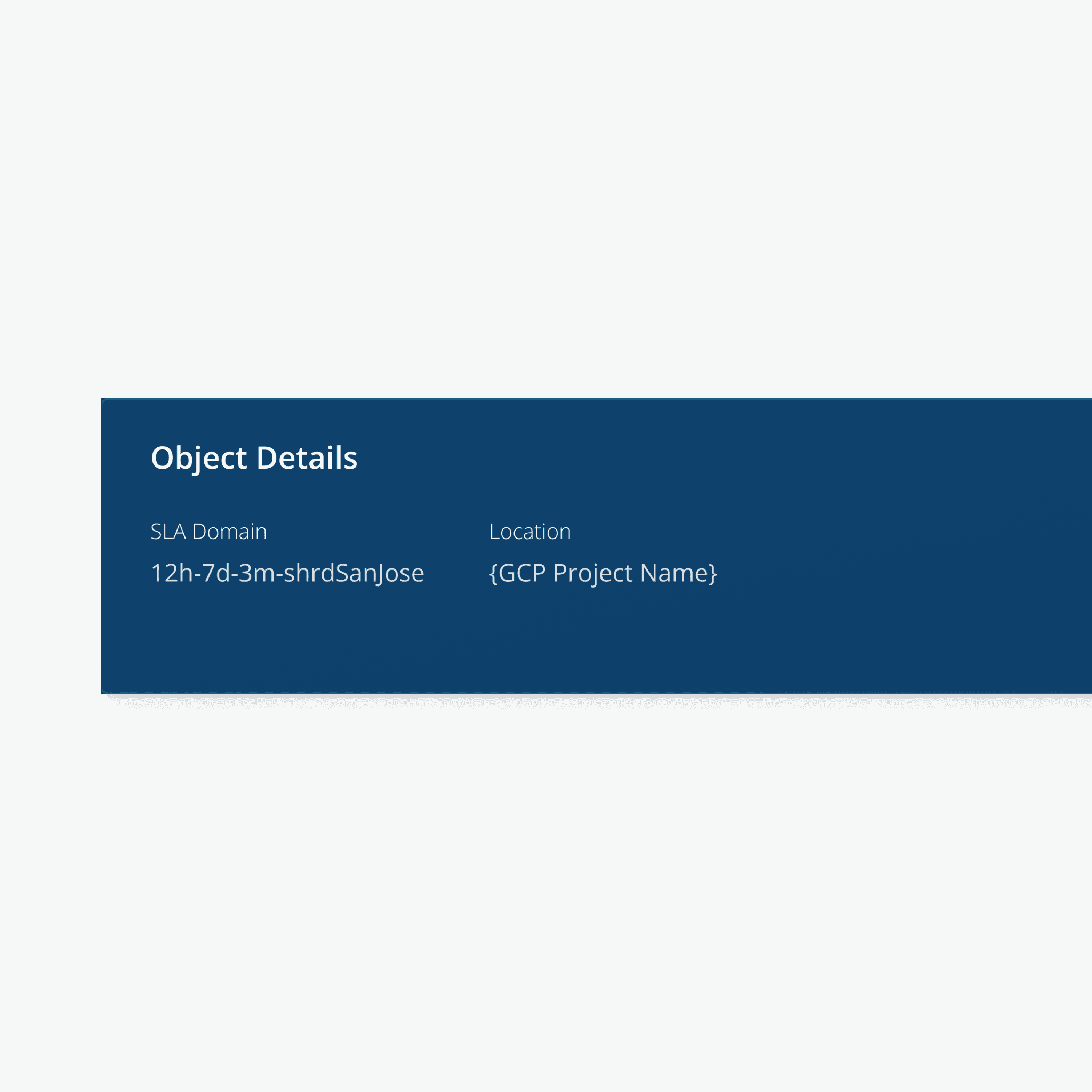
Before: Users need to copy the SLA domain name and search in SLA domain room
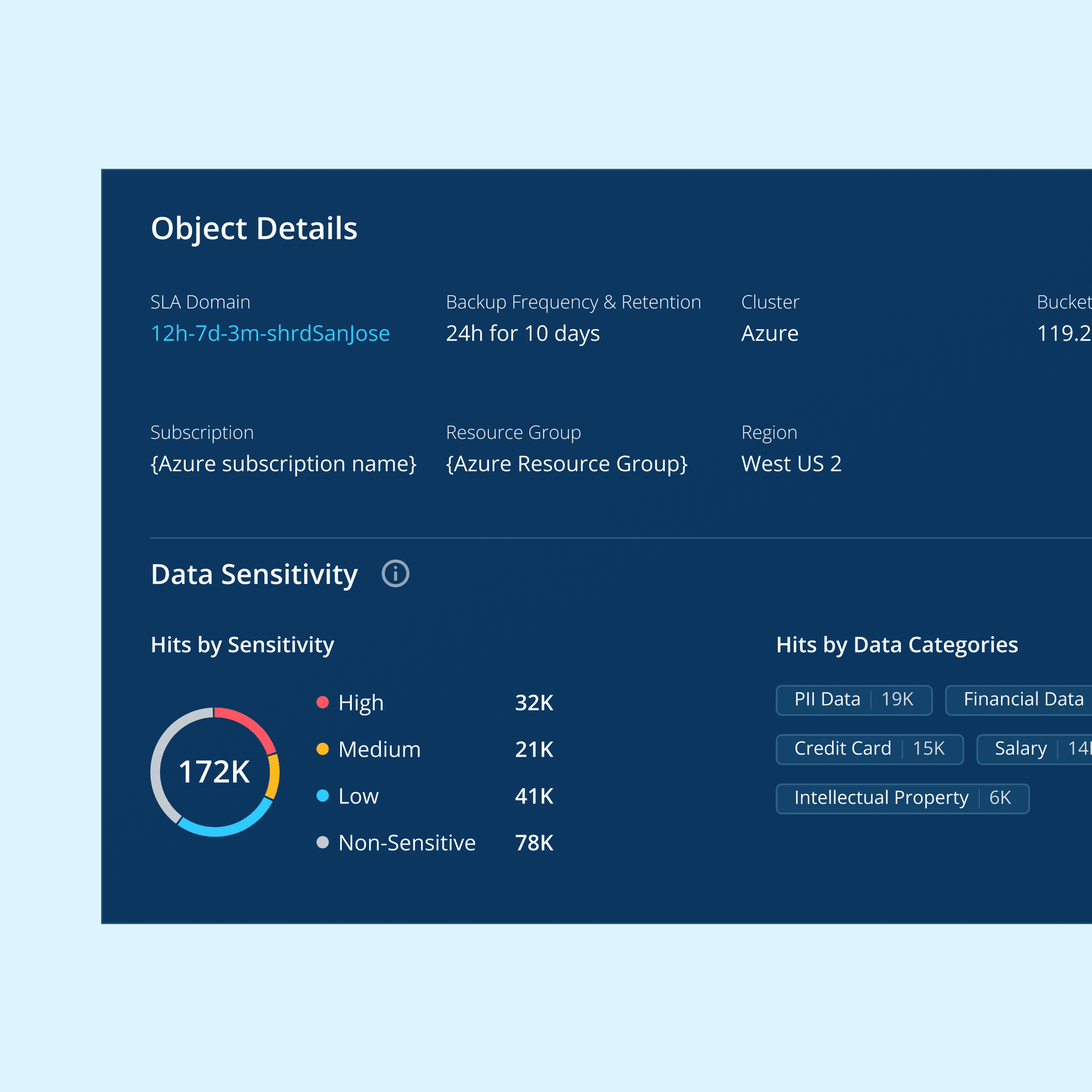
After: A clickable link and important info of SLA are added to this page to reduce navigations
Takeaways
🌫️ Working with ambiguity is part of the job.
As a cybersecurity novice, I learned that it is important to make assumptions when starting in an ambiguous space. Collaborating with PMs, mentors, or colleagues who have more experience in this domain can help validate and refine those assumptions.
🔎 User research under limitation
I used to design based on solid research, but this is often difficult in practice, making internal resources essential for progress. Sales engineers and internal design reviews are both valuable. Sales engineers provide insights when user access is limited by time or resources, as they are closely familiar with users. For junior designers, internal reviews also offer opportunities to iterate with guidance from senior designers’ perspectives.
Up Next